Developer / Publisher – Robot Invader / Frame Interactive Price – US $14.99 / EU €N/A / UK £N/A / AU $N/A Release Date – April 24th, 2018 Control Method – DS4 Play Type – Sitting Pro Patch – No Digital Only – No Reviewed on – PS4 Pro
Dead Secret is a game that has been on my reviewing radar for a long time and is constantly brought up when talking about the best games and experiences for the Gear VR headset, and assuming that version is next to identical to the PSVR version, I could see why. You play as a reporter who is investigating the death of an elderly scientist named Harris Bullard, but it doesn’t take too long before you stumble across evidence that not all is as it appears, and even what you discover may be in question.
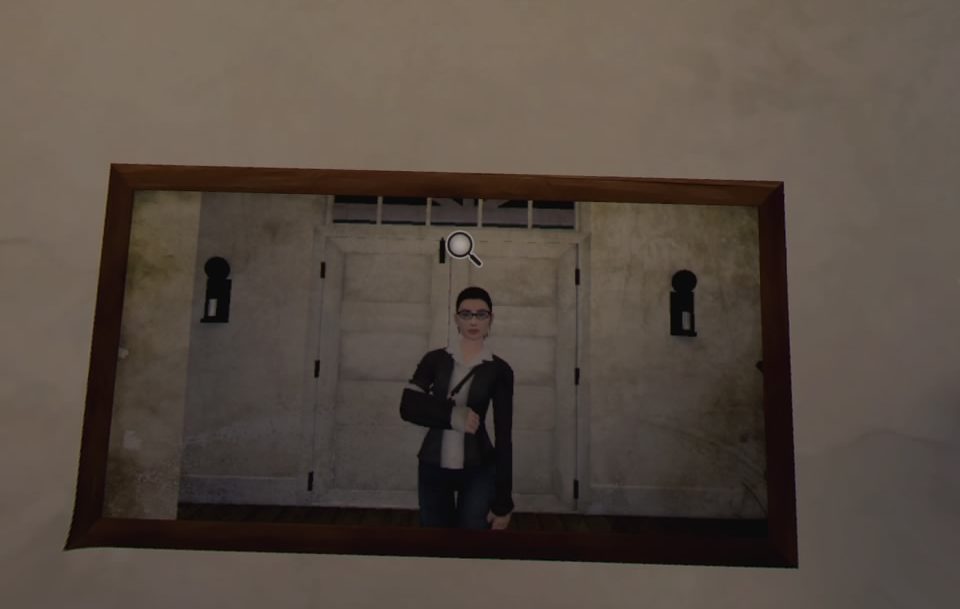
Having a body in VR always makes me happy!
With a Dual shock controller, the entire game play like a point and click adventure. To move around you look at the area you want to look at and when you see the foot icon show up, you can then walk to that area and investigate. While you are standing in front of whatever you wanted to check out, look around and when the spy-glass comes up you can click for information, maybe discover some clues, trigger a puzzle, or read an article. There is an inventory system in place that, once again just involves clicking to grab it then clicking to use it, with game often handling combining items so you don’t have too. As you find clues the game automatically takes notes for you to refer back on and at the end of each chapter you can answer questions about what you have discovered to keep those key points in your head. As you progress, new areas in, and out of the house become available for you to explore and revisit as well as some cool items and inventions which spice up some of the gameplay.
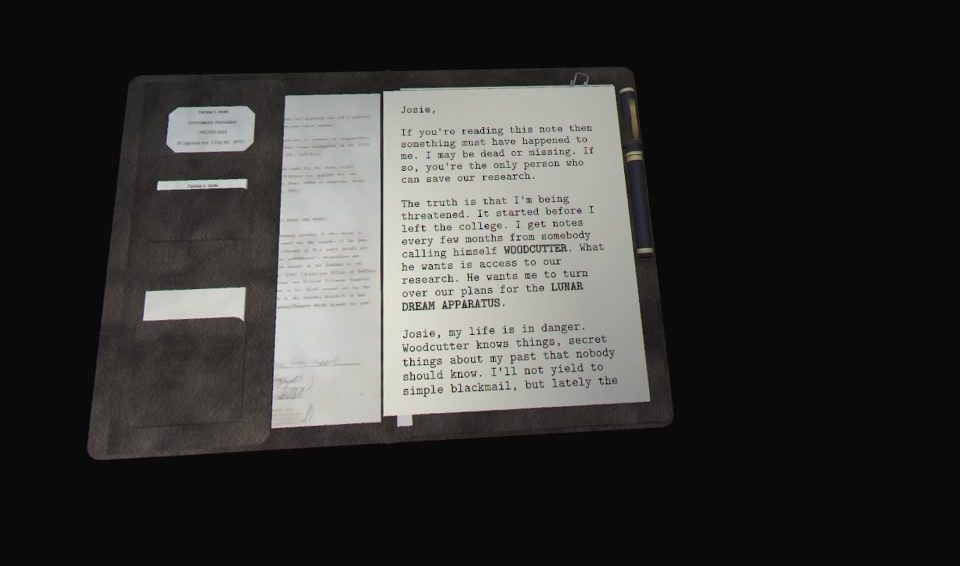
I hope you enjoy reading, because their is a fair bit in here
The visuals here look alright, but definitely show their mobile based roots. Textures are washed out, edges are very hard, and the color palette used makes the entirety of the game look sterile. With that said, the house does look and feel authentic enough and Dead Secret delivers on a VR pet peeve of mine…you have a virtual body! I always appreciate looking down and seeing a physical form and the mirrors scattered around the house showcase that and you can check yourself out in all your feminine, broken arm glory…the protagonist is a woman btw. Though the game takes place mainly in a house, it doesn’t take too long before the creep factor sets in and while the game may not look stellar, it does the job in setting up and immersing you in this horror/detective story. There is a lot of reading to be done here and I do mean a lot, but thankfully the devs have made all the text in this game very easy to read, a task manyVR games fail at.
Making up for the lacking visuals is the stellar audio. Creepy music never lets up and keeps you on edge as you explore the house. There are jump scares that just wouldn’t quite work if it wasn’t for the audio backing it up. There are cinematics peppering the campaign as well some voice-over work when certain items are triggered, but for those expecting everything to be read to you, think again. You are in the role of a journalist and when you find a piece of paper, it’s your job to read it.
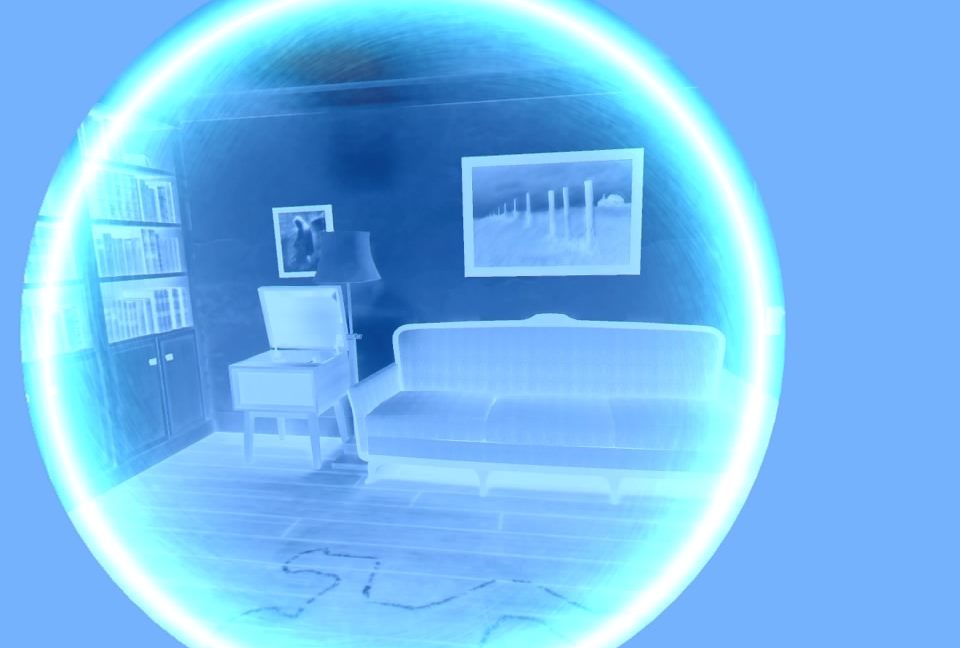
Once you find this device, the creep factor increases dramatically!
The bulk of this game plays like an old-school Resident Evil game with a heavy reliance on exploration, reading and puzzle solving. A few unique elements are introduced thanks to the Mr. Bullard’s inventions and mix up the gameplay nicely. Add in the potential villain who could be nearby at any moment and though this is relatively linear tale, there is a sense of unease that never left me throughout my 2-hour playthrough. I did enjoy the fact that your character has a broken arm, which allowed the game to set up barriers that could easily be removed if they were in the real world, but the broken arm prevents you from bypassing these obstacles. It’s a nice touch that adds to the realism to the game.
It’s unfortunate you can’t free roam the house, but the nav-point system in play works well enough and it wasn’t too long before I just accepted it and enjoyed the story that’s here. As I said there is a fair bit of reading to get through, so be aware of that. When you discover an new item, your protagonist may say something like ‘I remember there was a drawer missing a handle’ and while I get the need to remind people of past discoveries, these little ‘clues’ to my next step annoyed me and I would have preferred having to figure out my next move on my own, but that’s a minor complaint and I don’t have too much else to whine about here. There are 5 different endings to the game, 2 happen during the campaign and the other 3 are options presented at the games grand finale so for those completionists out there, now you know.
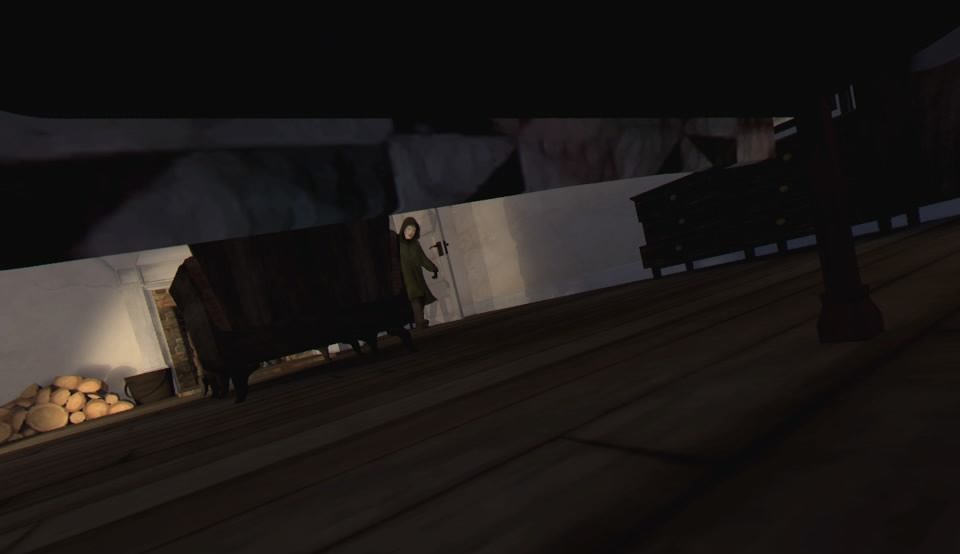
It should go without saying…but you should probably stay away from this nut job
Dead Secret plays like a point and click puzzle solver with an emphasis on suspense and horror. The story is very deep, and the puzzles are quite satisfying, though a little on the simple side at times. I enjoyed how the mystery here unfolded and the big reveals as the plot advanced had me thoroughly engrossed in the story. If you are looking for a horror-mystery and don’t mind a bit of reading, pick this up.
What would I pay? Dead Secret plays like an above average mystery/horror movie and is priced along those same lines. $15 for a few scares and an intriguing story…I don’t regret my purchase!
Developer / Publisher – Second Wind Interactive
Price – US $14.99 / EU €14.99 / UK £11.99 / AU $19.95
Release Date – April 24th, 2018
Control Method – 2 x Move Controllers
Play Type – Seated, Standing
Pro Enhanced – Yes
Digital Only – No
Reviewed on – PS4 Pro
I love when something new comes our way in VR, or at least something that mixes a bunch of known gaming elements and merges them together into something that feels fresh. Just in Time Inc. puts you in the role of an associate at an insurance firm which utilizes super heroics and time travel to help save their clients from some unfortunate fates. It’s has comedy, action, suspense and some intuitive puzzle-like situations that had me watching my clients die over and over until I figured out what to do.
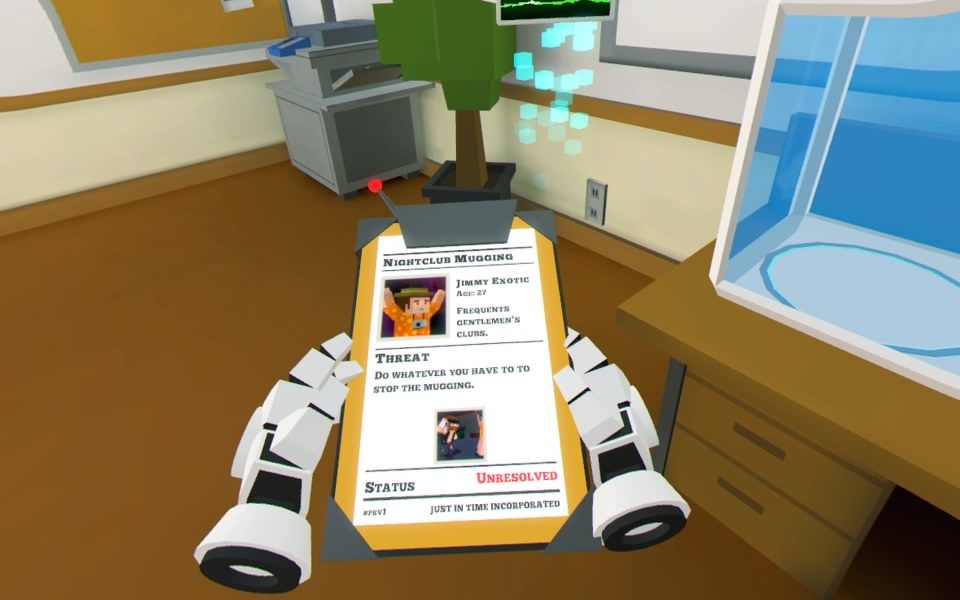
Each mission briefing has some comical elements
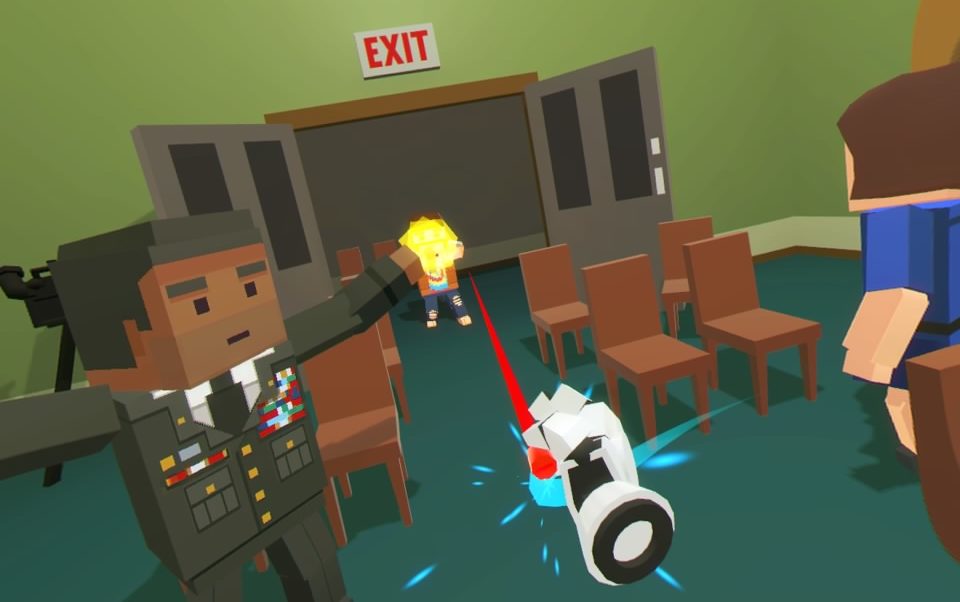
As you are armed with 2 power gloves, you are going to need 2 Move controllers, and unfortunately, it’s only click-turning and teleportation here. I’m okay with the teleportation as it is incorporated in the game quite nicely though an option for free turning feels missed. It’s explained that your gloves cause time to slow down, which I assumed was a power I could turn on or off but is actually just some justification for the entire game playing in slow motion. The gloves you wear can also catch bullets, which can be aimed back at the enemy who fired them, or anyone else for that matter. Additionally, you can grab select items in each stage, which typically can help you solve that puzzle.
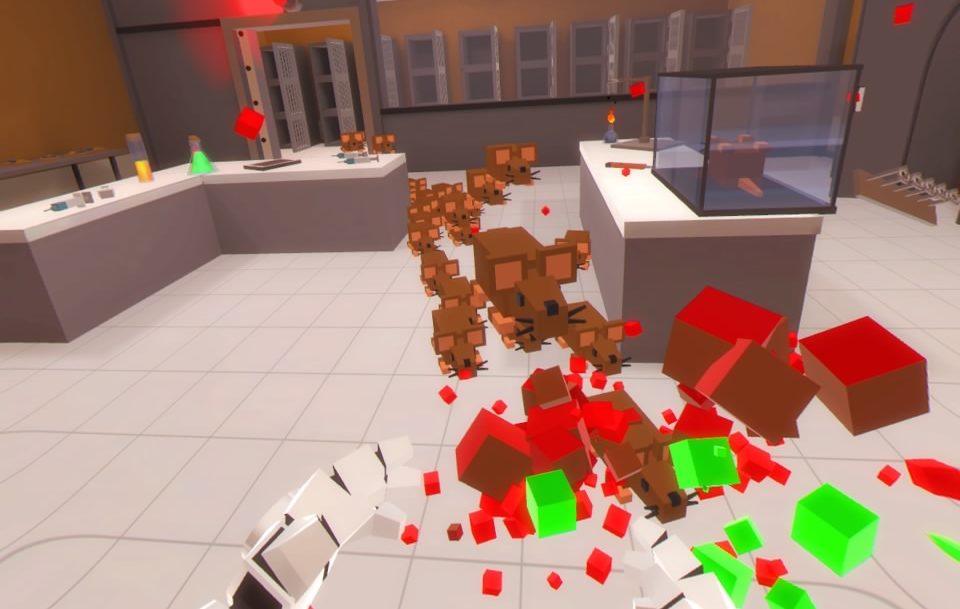
If you have played Out of Ammo, this game looks like it takes place in the exact same universe. Characters are very blocky with some low-resolution pictures in place for clothing and other details. It’s not the most impressive game I have ever seen, but it does play flawlessly, and the simple art style allows for some seamless action. Every stage is in slow motion, while you are not, making for some cool and often time hilarious visuals as explosions slowly expand from their source, an army of giant rats slowly makes their way toward an unsuspecting scientist or you may be busy slicing off heads with a samurai sword. Each stage contains a different look and other then the bad guys, you never really see the same things twice. It’s crisp and clean and as each scenario is introduced, the art style just gives everything a very comical vibe!
They call me ‘The Bullet Dodger…errrr Catcher
Many moments in the game are inspired by pop-culture references and as such carry some nice music which fits perfectly with the parody nature of the game. Levels inspired by James Bond or Indiana Jones contain some subdued tunes that match the action perfectly. Sound effects are also decent, but as the game is in slow motion, the only effects I really noticed was the sounds of gunfire and explosions. In no way does the sound detract from the game and my ear holes were happy.
The game is broken up by 3 separate tiers or promotions, plus some bonus missions. The initial stages are relatively easy and introduce the necessary mechanics for later missions. You can grab weapons from bad guys hands, pick up and toss grenades, teleport across a level in almost an instant, take off sprites clothing, punch a clown and a few other whacky things that make this game about death quite comical . Stages contain specific items to help you prevent the death of your client, sometimes offering multiple solutions and some replayabilty to the game. Scenarios also range from escort type missions to saving people from a burning building, circumventing an assassination attempt or stopping a suicide bomber. There are a host of situations that make each stage feel fresh, and though some can be circumvented in a minute or so, once you know the solution, others may require attempt after attempt as you constantly fail at saving your targets. Frustration will abound in these stages, but as you get closer and closer to your goal with each failure, it just makes victory taste that much sweeter. Each scenario feels unique so if you aren’t a fan of one, you can revisit it later and check out the other unlocked scenarios at that promotion level. It’s all very tongue in cheek and works wonderfully and never wore it out its welcome.
So many rats!!!
My largest issue with Just in Time Inc is the controls. Some levels require you to be on your toes and failing to act to fast will result in a forced restart of that mission. I found throwing items to be very finicky and more often than not, whatever I tried to throw far typically ended up at my feet, forcing me run away lest I hurt myself. I also found the click turning to be a little cumbersome during a few missions and getting to close to whatever you are grabbing is all to easy with teleport only movement. It’s never game breaking by any stretch, but when I failed a mission because of the movement mechanics, I couldn’t help but get a little irritated. A smaller annoyance I had was the lack of interactivity the stages did have. Given the scenario, it might not matter, but in some of the larger stages, it feels like there is a lack of options when it comes to environmental variables forcing you to play a little more linearly then the game suggests.
You see that boys and girls? That’s what success looks like!
With those gripes aside, Just in Time Incorporated is still a well polished and unique game that entertained me throughout my hour and half or so playthrough. A few missions held me up as the trial and error gameplay threw me for a whirl, but I really did enjoy figuring out the solutions to some of these scenarios or just racing around the map like a mad man trying to kill bad guys before they killed me or my clients. The short nature of many of these stages also lends itself well to sharing with friends as watching someone fail at a mission you beat on the first try is always good for a laugh. Just in Time Incorporated is a great change of pace to many of the games we have seen in VR and has enough charm and polish to back up the solid gameplay.
What would I pay? The $15 asking price for this is spot on. It’s not a large game and I enjoyed the challenge some of the stages offered as well as the dark and (slightly) sadistic comedy vibe that peppers this whole game…plus saving guys and gals in slow motion always makes me feel like a badass!
Developer / Publisher – 3dRudder Price – US $99.00 Release Date – November 27th, 2017 Compatible headsets – Rift, Vive & WMR
*3dRudder provided a demo unit for the purposes of this review*
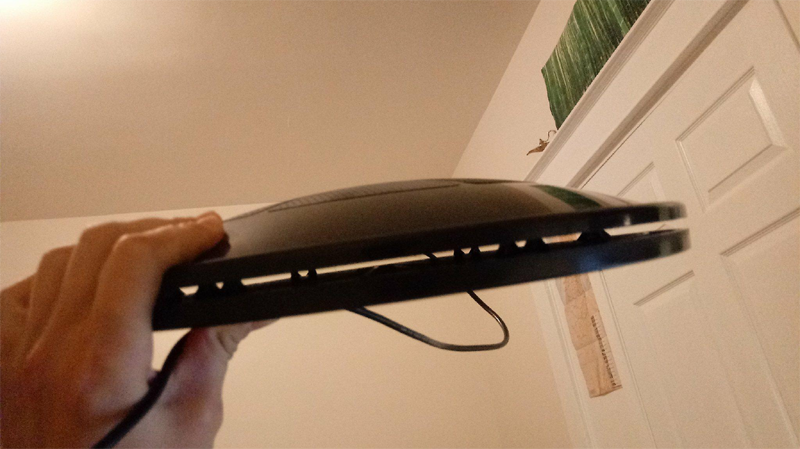
The 3dRudder is a gaming controller, used entirely by the player’s feet. It takes the form of a circular pad, resting on the floor. While it can be used in both non-VR and VR games, it’s marketed more for the latter, and for good reason: The 3dRudder enables a natural-feeling system of locomotion in virtual reality that attempts to strike a much-needed balance between reducing motion sickness and maintaining immersive controls.
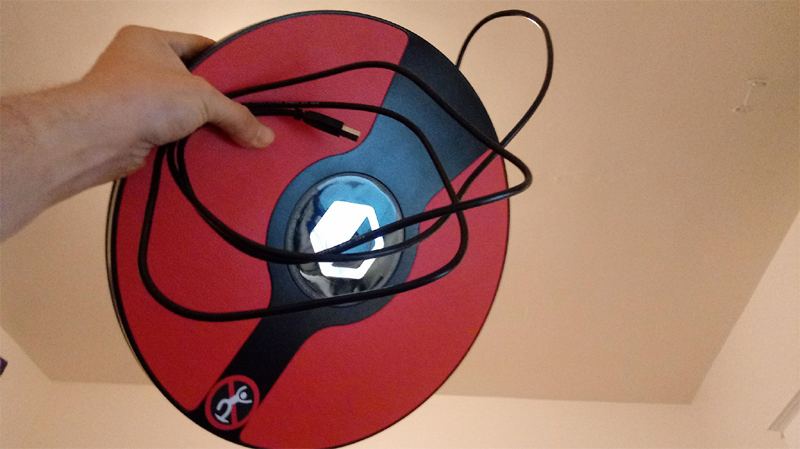
The 3dRudder, in all its glory
It allows for seated, stationary gameplay far less exhausting than what VR gamers are used to. Its dashboard software allows an intricate amount of customization and calibration options, letting you configure a seated VR setup to your own body and playstyle. I’ve been very excited for this product, following its development for the past year, as it does something both important and highly futuristic for VR gaming: Integrating the player’s feet into a VR game’s locomotion system. It’s easy to see why this is exciting, as the 3dRudder is among the first VR-focused controllers that intends to make movement feel as “natural” as possible. But unlike its competitors, such as an omnidirectional treadmill or air-suspended exosuit, which cost an exorbitant amount, this device’s realistic $100 price point makes it the very first such product to truly deliver itself on a commercial scale. While it’s a landmark product that paves the way for more ambitious VR foot-controllers, the 3dRudder itself comes with an expansive list of caveats.
The device’s build quality is overall exceptional. Its body is made from durable, heavy plastic and metal, which I can’t necessarily imagine taking damage with standard use. Some particularly sharp in game strafing has resulted in some unsettlingly noticeable squeaking sounds, however. It doesn’t bend, and I can’t imagine anyone accidentally breaking theirs. Still you shouldn’t test this by standing on it- a practice which the user guide, website FAQ, and somewhat glaring sticker all warn heavily against. The 3dRudder logo in the center looks quite sharp and even makes for a very attractive device. It rests on a rounded set of rubber-coated sensors on its bottom, which also feel durable and make for a nice and compact form factor. This can pick up crumbs and dust on your floor, which isn’t more than a mild nuisance. Your foot placement is indicated by two wide pads on each side of the device, made of bright red rubber, on which your feet won’t slide during heavy gameplay.
While your feet won’t slide, the Rudder itself is a different story. I’ve tested the device on three surfaces: A bushy carpet, a light rug, and a hardwood floor. The carpet was a nonstarter, as it put enough resistance on the Rudder to prevent it from fully reaching the floor, outright preventing my movement in many games. The hardwood floor provided a better experience, with a full range of motion available to my feet. After only a couple minutes of gameplay however, the Rudder will inevitably slide far from the chair. Every five minutes or so, I found myself having to take off the headset just to comfortably reposition it. This was an extreme nuisance and made the experience more frustrating than fun at times. It slid slightly less on a light rug, but even then, sliding was still hindering my gameplay. Even then, sliding was not the biggest flaw with the 3dRudder’s physical design.
I will be blunt on this point: The cable on the 3dRudder is awful. The first issue is its heinously short length of approximately six feet, which doesn’t sound bad- but in my experience, was short enough to severely limit the experience. To reach your computer’s USB drive without tearing it out, you need to make sure the wire has some slack. This alone leaves you with around 4-5 feet, and at this distance, you’re already close enough to your computer to worry about hitting it. This invalidates an alleged selling point in the FAQ, that the 3dRudder prevents you from hitting items in your room. Despite this, I frequently hit things on my desk. In my opinion, the obvious solution was to turn my chair (and the Rudder) around, facing away from my desk. In a serious lack of foresight over this issue, there’s an even more awkward design flaw with the cable: It connects to the 3dRudder through the front. This means that if you’re facing away from your computer, you’re inevitably left with no cable length remaining. When this happens, the cable can easily get snagged under the Rudder’s sensors, to the extreme detriment of your gameplay. Getting its own cable, or even anything else for that matter, snagged under its sensors renders the 3dRudder unresponsive to certain controls. When this happens, you must pause the game, take off your headset, and untangle the cable to get a working experience. This whole issue is more of a hassle than it really should be.
It’s absolutely ridiculous how short this cable is.
The 3dRudder emits a loud beeping sound, any time you step on it or calibrate it for a game. This can get extremely annoying, as the beeps are frequent, high-pitched, and generally sound unpleasant. This isn’t too major of a problem, however- when in VR, hearing the beeps can let you know when your feet are properly rested on the device. I wish these beeps sounded less comically-obnoxious, but the experience would still be less user-friendly if it weren’t for them.
The overall-solid locomotion experience is probably the best thing about the 3dRudder as a whole. Once you get used to it, moving around in-game is a breeze. Leaning the Rudder forward, backward, left or right moves your character accordingly. Rotating it causes your character to do the same, allowing a full suite of movement without having to leave your chair or turn your head more than slightly. A certain foot movement can also cause you to fly up or down, although this feature was absent from every game I played other than the 3dRudder’s tutorial demo. While its website claims that one of its selling points is a low learning curve, my personal experience with the Rudder strongly disagrees. This device is very hard to get used to, and it took hours of gameplay before my foot movements started feeling natural and automatic. Once this happened, however, I was thoroughly impressed with how smooth and responsive locomotion felt.
It finally hit me when I was walking up a spiral staircase in Fallout 4 VR, where I didn’t even have to think about where I was going- I just moved my feet and found myself walking towards the destination. Although leaning on the Rudder is clearly much less of a realistic foot-movement than real-life walking, it convinced my brain enough to make it truly feel- albeit very mildly- like I was actually walking. I rarely struggle with motion sickness, but this device removes what little that I had. This requires a bit of a neuroscience lesson: when your brain registers foot movements as being associated with visual movement, your brain’s “area-MT (motion-tracking)” optical nerve sends signals to regions of your peripheral spinal cord saying: “Yes, I AM in fact moving.” I never struggle with nauseating gameplay in VR, but if you do, this device will most likely help to some degree. I don’t think I would recommend it entirely based on reducing motion sickness (since it’s not really an issue for me), but as a last-ditch effort- if teleportation or free locomotion don’t work at doing so- this could be an option worth considering. When it works, the 3dRudder successfully accomplishes all that it sets out to do.
Unfortunately, this device only works in specific situations with specific games. Unlike a standard controller, the 3dRudder overrides a game’s input with its own configured control scheme. This either requires a developer to program their game with native Rudder support in mind, or for the Rudder’s programmers to go back and add support for games individually. This is where its peripheral “dashboard” software comes in. This program allows you to calibrate the Rudder with any game that can use it and configure controls in non-VR games to any functions you would like. It also lets you add free locomotion to games which otherwise have teleportation, or even ones with stationary gameplay. Still, even though it’s always exciting to see “[Insert beloved game] support added” in the update log, the sheer lack of games supported is a serious issue.
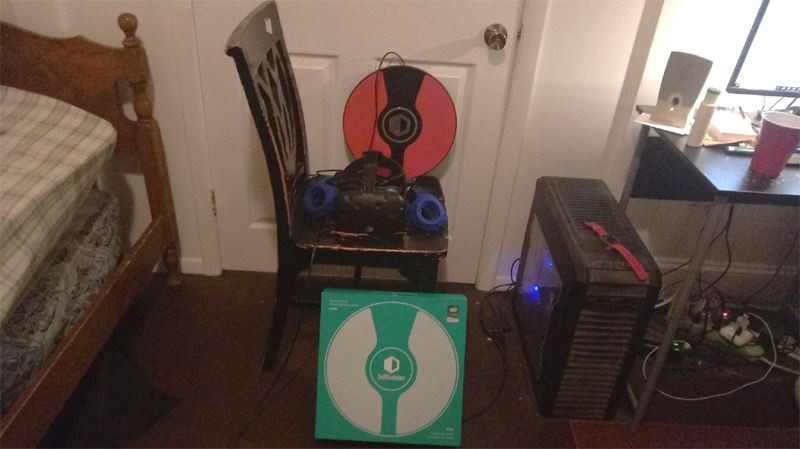
The 3D Rudder’s thin, sleek, minimalist design makes it easy to integrate into your room’s VR setup
The dashboard also lets you adjust a complex variety of control options. You can change the speed of movement for the forward/backward, left/right, up/down, and rotation axes. If you enable “smooth mode,” you can also adjust each axis under a different set of parameters- although I’m still not entirely sure what “smooth mode” is supposed to do. You can adjust the dead-zone on each axis, which essentially affects the amount of force with which you need to push to trigger a movement. You can also change the acceleration of movement under each axis, affecting the sensitivity of your Rudder. You can configure Rudder controls to your VR controllers as well, and although this is a nice option, it only has options for the trackpads and triggers- you can’t set any Rudder movements as the grip or menu buttons. The one thing about dashboard control customization that really bothers me, however, is that “acceleration” and “dead zone” options aren’t more straightforward. I spent a fair bit of time trying to find a “sensitivity” option, which would be more beneficial than any of the others. It took a frustratingly long time for me to realize that lowering the dead zone, and increasing acceleration, would have the same effect as increasing the sensitivity (and vice versa). Even knowing this, both metrics for all four axes must be carefully adjusted to match each other for my desired effect (of adjusted sensitivity). This could have been simplified to two sensitivity bars, which could have adjusted the overall sensitivity of movement and rotation controls. What the dashboard presents, rather, is very confusing and user-unfriendly, even though the software itself is easy to navigate.
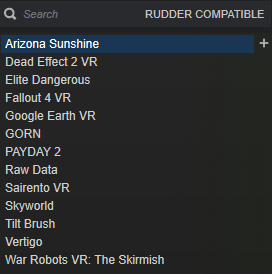
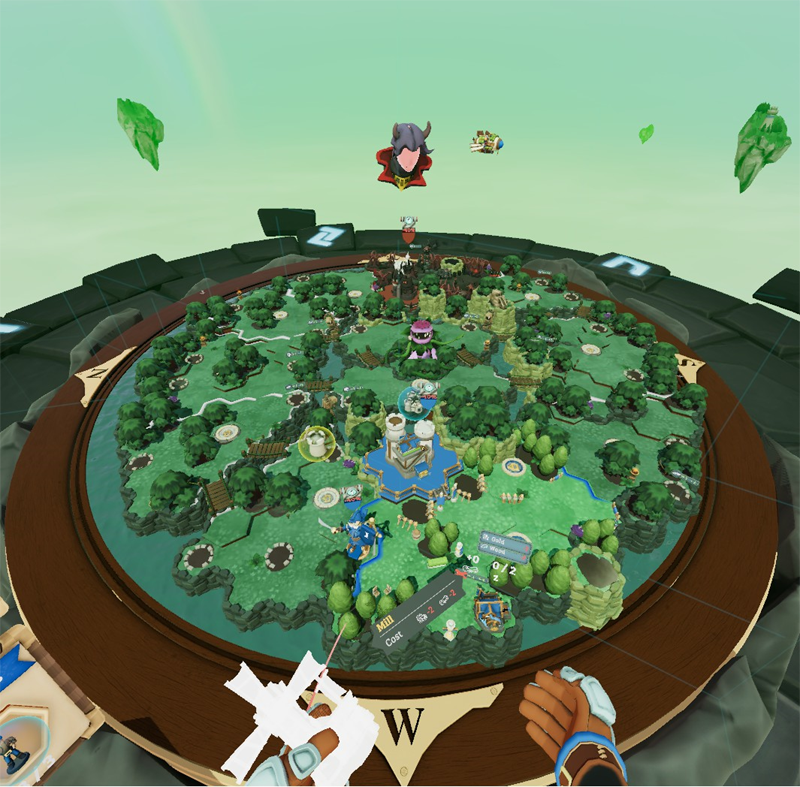
At the time of writing this review, there are only 32 supported games. This may sound decent, but despite personally owning over 120 VR titles, only 15 of them are supported by the 3dRudder. This is extremely frustrating, made even more so by the 3dRudder’s confusing choices for which games to add support for. Gameplay in The Lab, for example, is largely stationary and really doesn’t need free locomotion. Skyworld, similarly, is a board game, one in which movement is totally unnecessary. Many supported titles are “experiences,” such as Trials on Tatooine, TheBlu, and The VR Museum of Fine Art. These are short, cinematic, and often stationary, and therefore really don’t benefit much from Rudder support. War Robots VR: The Skirmish is already a seated game, and played with the mouse and keyboard, so adding a 3dRudder just complicates things. There are many games on Steam which would benefit from having Rudder controls but aren’t supported. Because the 3dRudder team adds support for games individually, and hypes them up on their website in mini-reviews, let’s go through some of the most interesting examples on a case-by-case basis. Each supported game has its own unique pros and cons when played using this device.
Arizona Sunshine plays decently on the Rudder, setting itself as an average contender on our list. Movement is smooth, and gunplay remains accurate. However, it has one glaring issue: Because you’re sitting down, using the Rudder contradicts some of the game’s environmental design. Your thighs, knees, and chair are at roughly the same height as the game’s many car trunks, which are a primary location for finding ammo. Opening a trunk in a seated posture, ammo is just barely out of reach from your chair. I had to stretch my arms way past my knees, sometimes even standing up and walking forward, to grab ammo. Although this issue is inevitable in Arizona Sunshine, it was still frustrating enough that I eventually just quit the game.
When I saw that the 3dRudder dashboard only had support for Serious Sam VR: The First Encounter and not its sequels, I was a bit disappointed that it didn’t have Serious Sam 3 VR: BFE. The latter is
I own over 120 VR games. These are the only ones with any form of 3dRudder support, only one of which is native.
not only my favorite Serious Sam game, but it’s the only VR title of the franchise that I own. I was therefore excited to read, on the 3dRudder website, that this configuration includes support for SS2VR: TSE and SS3VR: BFE as well. Upon launching it, however, I was gravely disappointed. This game’s native control settings contradict with those of the Rudder. When rotation options were turned on (as per the Rudder’s requirement), I could only move forwards, backwards, and rotate- having lost the ability to strafe, which is crucial in a fast-paced game like SS3VR: BFE. When turning rotation options off, I could strafe again, but lost the ability to rotate. This is likely an issue with the game’s control options, and not the Rudder. Still, given this, I would consider Serious Sam 3 VR completely unplayable when using the 3dRudder.
One of my favorite games for VR, I was pleased to find that Gorn plays almost perfectly using the 3dRudder. Movements are smooth, natural, and don’t interfere with your ability to slaughter enemy gladiators. There are a couple noteworthy issues, however, which are less the result of either Gorn or the Rudder itself, and more a result of the controversial way in which the Rudder is presented. For one, I would cautiously consider playing games like Gorn on the 3dRudder to be outright cheating. With the ability to set your speed at any rate you want, outrunning enemies in sticky situations is a breeze. Charging towards enemies at the speed of a car may be hilarious and entertaining, but it genuinely gives you an unfair advantage over them. Of course, you can adjust these settings to your preference, and you might enjoy the game more this way. However, playing with the 3dRudder on speeds as low as Gorn’s standard locomotion feels tedious, and tires out my feet. Therefore, it’s still worth thinking about how the Rudder affects difficulty. Players looking for a fair challenge will likely prefer one of the game’s standard locomotion options.
The other issue with playing Gorn using the 3dRudder involves map design and respawn behavior. With many games, the Rudder doesn’t simply re-configure your controls; it completely replaces them. In doing so, it usually (but not in all games) introduces glitches to SteamVR’s chaperone system. Movement using the Rudder will, in these cases, cause you to move straight out of the chaperone. Games in SteamVR typically set the chaperone as your respawn site, so if you die in such a game when far away from it, you’ll spawn outside the map and fall infinitely through the void. In Gorn, which isn’t programmed to respawn you in such an event, this requires you close and restart the game.
Another issue present in Gorn, but also in many other Rudder-compatible games, is the direction which the 3dRudder’s controls face. Indicated by the obvious design of the Rudder itself, as well as in the dashboard, your feet are supposed to rest on the red inserts. Forward/backward/left/right controls are generally supposed to work accordingly. In what turned out to be a huge majority of Rudder-compatible games, however, these controls are distorted by a 90-degree turn. Pressing forward moves right, pressing right moves backwards, and so on. Since compatibility for games is added individually, this is likely a glitch that could be fixed with future updates. Still, this was enormously confusing to me, until I realized that I could just play with the Rudder at a rotated angle. This is somewhat of a win-win, since it also reduces the aforementioned cable-interference issue that usually occurs when the cable is in its natural position of sticking straight forward. Still, this is a straight-up error with the controller that makes it even more confusing and unpredictable.
One of my favorite VR games, Sairento, has the same problems with 3dRudder compatibility as Gorn. It’s actually quite fun, and works fairly well with the Rudder. The high-speed movement options can occasionally make you feel overpowered, but unlike in Gorn, it’s somewhat welcome here. Sairento is already a game with fast-paced movement, but its native smooth locomotion is not very fast, easy, or effective. Respawning outside of the map is also an issue, but when this happens in Sairento, you respawn at the center, mitigating this issue. Overall, using the Rudder in Sairento is a glitchy experience, but works much better than in many other games.
Far outside the map, this is too common a sight in games like Vertigo.
Another game in which the 3dRudder violates SteamVR’s chaperone, and spawns you far outside of the map as a result, is Vertigo. This game, which has many tight corridors and death traps, is much less difficult when speeds are lowered. Therefore, unlike Sairento and Gorn, using the Rudder in Vertigo doesn’t make you feel overpowered. However, slow locomotion speeds are all the more frustrating when you’re spawned ridiculously far away from the chaperone (which the game considers the initial spawn point). Because Vertigo is a long, linear adventure, I have found myself- upon respawning- spending upwards of five full minutes floating back to the spawn. I say “floating” because of another issue with using the 3dRudder in Vertigo: Flight. You can’t actually fly in this game, but when you walk off a tall ledge using the Rudder, you’re suspended in mid-air, walking as if on a platform. This is a clear glitch in the game’s lack of optimization for external controllers, a glitch I haven’t seen in any other game. Still, it doesn’t happen without the 3dRudder. This is yet another title with a game-breaking issue caused by it, and with an already-limited library of Rudder-compatible games, my patience can only be worn so thin.
One of the most successful 3dRudder experiences I had was in Raw Data. The aforementioned chaperone-violating (which is an issue for a noticeable majority of Rudder-compatible titles) does not happen here; as you move, the chaperone stays nice and snug around the boundaries of your play area. In turn, when you die, there is no risk of spawning outside the map. Playing Raw Data using the Rudder also limits your speed, regardless of your dashboard settings, negating the risk of overpowered movement. This came as a relief to me, as Raw Data is one of only two VR games with Rudder compatibility that includes a working and populous PvP multiplayer (next to Onward, which I don’t have, so I can’t evaluate it). The only problem is how the Rudder interferes with gunplay: In this game, pulling to a complete stop while using the Rudder is extremely difficult. This makes aiming much more difficult, and also makes it hard to grab stationary objects. While this was a significant annoyance, playing Raw Data using the 3dRudder was still a surprisingly playable and fun experience.
Another 3dRudder success story comes with Dead Effect 2 VR. Next to SteamHammer VR (which I don’t have and can’t evaluate), it’s one of only TWO VR games on Steam that have developer-programmed, fully-native 3dRudder control integration. Although it’s unfortunate that so few games have this feature, this also speaks to the exceptional gameplay and movement in Dead Effect 2 VR. Movement is smooth enough that aiming is never an issue, and it’s easy to come to a full stop, keeping it easy to interact with items. Since this game has plenty of loot, I was worried that it would have the same reachability issue as Arizona Sunshine. However, I was relieved to find that aiming at items from a seated distance allowed me to pick them up naturally, without having to worry about my legs getting in the way. Like in Raw Data, the chaperone follows you properly, and you don’t have to worry about falling through the map. Dead Effect 2 VR easily yields the most enjoyment I’ve had from a game while using the 3dRudder.
Why would you ever need (or even want) smooth locomotion in a game like Skyworld?
While less a “game,” Google’s Tilt Brush is a title in which the 3dRudder excels. There isn’t too much of a purpose to playing with the Rudder, but it does allow smooth locomotion where there otherwise isn’t. This makes your canvas feel significantly larger than without the Rudder. Being seated also makes it easier to spend long hours painting intricate works of art, reducing the strain on your arms and legs. The ability to adjust your height offset is also useful here, as it lets you reach higher up for ever-taller paintings. However, these latter two points are questionable, as both options are available for free without need for a $100 3dRudder.
Tilt Brush is an experience that you can easily sit down for, regardless of movement or equipment. The ability to adjust your height offset is also available in the free “Advanced Settings” mod for SteamVR, so it’s not a unique feature to the Rudder. Plus, this mod can even be accessed mid-game from within SteamVR’s dashboard, while the 3dRudder requires you minimize or exit the game for its dashboard. A seated experience may be crucial to using the Rudder, but it’s certainly not an experience unique to using one. This would be less of an issue if height calibration wasn’t advertised as a key function to the 3dRudder. Its website page for Fallout 4 VR reads: “Last, but nos least (sic), we set the height so that you are face to face with other characters (and not small-seated). And, should you want to be taller (or smaller!), you can modify the height offset any time during the game in the 3dRudder dashboard.” This sentiment is echoed throughout various pages of the website. Seeing as you can adjust your height in any game, for free, it’s straight-up mis-informative to suggest that this is unique to playing with a 3D Rudder.
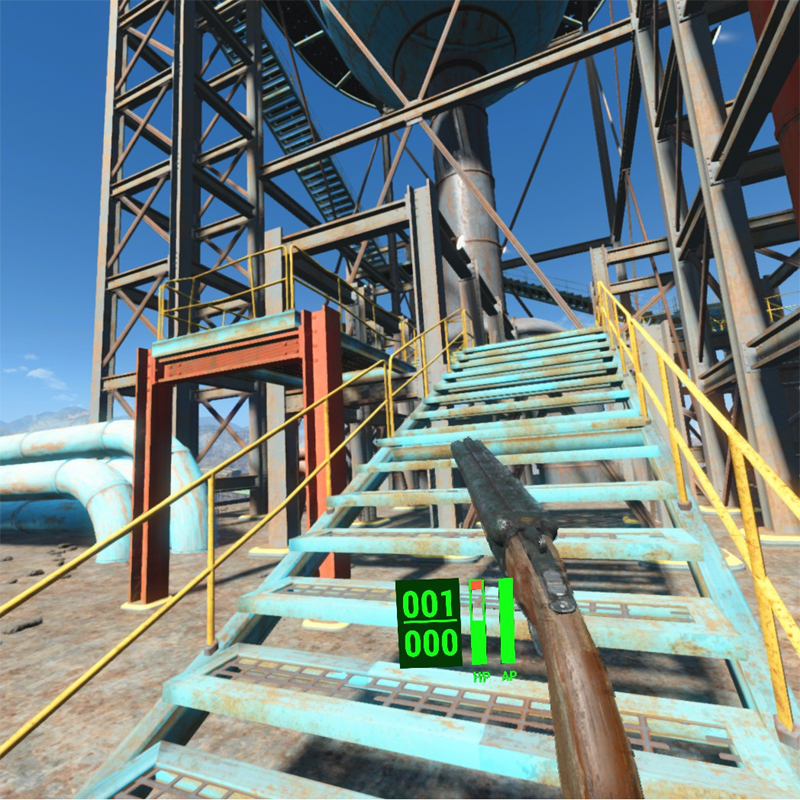
On that note, Fallout 4 VR is possibly the most important game to mention here. Gameplay runs flawlessly, with smooth movement at a fixed, fair speed. Everything works predictably, with a remarkably low number of control-induced glitches. Very few chaperone map glitches affected my experience, and reaching loot was fairly easy. Since trackpad options in Fallout 4 VR affect things like speech and menu navigation as well as movement, it can be irritating to accidentally choose dialogue options I didn’t want or pick up weapons I didn’t need, just from resting my feet a certain way. This was the only issue I had with this game using the Rudder, however. Compared to all my other Rudder-compatible games, my immersion was rarely broken. This is one of the only games that’s fully playable as intended, next to Dead Effect 2 VR. Fallout 4 VR also has one major gameplay factor that makes the Rudder a viable controller option: its length. Most play-sessions in Fallout 4 VR require long, focused hours of play. After a while, it’s easy to get tired. Sometimes, before getting this controller, I’d stop playing just because my legs were getting jittery. When using the 3dRudder, this is no longer an issue, and I can play for as long as I want. This is significant, as it fixes an inevitable, fundamental issue with Fallout 4 VR, which is also one of the most popular VR games currently on Steam. If you’re a particularly massive fan of this game and have struggled with jelly-legs in the past, this is a genuine advantage that the 3dRudder provides. If this device were to take off and get popular for any single reason, I believe it would be this one.
On the 3dRudder website are two free games, developed by the studio for purposes of demonstrating the device. Not only are these games free, but they’re clearly only meant for showcasing, which they do perfectly. The Rudder controls in these games work flawlessly, with smoothness and simplicity paralleled only by Dead Effect 2 VR (thanks to its native support). These games did a good job at showing me how fun it could be to move around with the Rudder. Just playing with the locomotion in them was an absolute joy. The same cannot be said, however, about the games themselves.
“GunGun” is advertised on the 3dRudder website as “The most playful VR app.” This is why I have trust issues.
In “GunGun,” you spend less than five minutes blasting at slow-moving aliens before the game completely ends (lacking even a replay button). Your weapon’s lasers move far too slowly, and killing enemies feels tedious. Likewise, although enemies shoot you with near-perfect auto-aim, it didn’t exactly feel like dying was possible. The map is both small and empty, besides the bizarre pile of 3D Rudders floating in the middle. Despite having “Space Shooting Contest” as its tagline, nothing about the game suggests that it’s a contest, and very little even suggests you’re in space.
The other game, “Airboard Arena,” is essentially a tutorial for using the device. You must hover around a minimalistic map while hurling balls through giant hoops. While it succeeds at teaching you the basics of Rudder locomotion, it’s only five minutes long, and the controls for picking up and launching balls (right trigger, then left trigger, respectively) are way more confusing than they had to be. I was disappointed by this game’s barebones nature, as the Rudder would work perfectly in a VR sports-racing game such as skate or snowboarding, a genre in VR that currently has no Rudder-compatible representation. This is ironic, since Airboard Arena’s tagline is “The Ultimate Race,” despite clearly not even being a race (let alone “the ultimate” one).
Now, let me be perfectly clear: 3D Rudder’s games are free, and aren’t meant to be more than a demonstration, so I can’t be too hard on them. It’s still worth pointing out, however, that (with the exception of Dead Effect 2 VR), these are the only Rudder-compatible experiences offering controls that accurately showcase how the 3D Rudder is supposed to work. As I pointed out with the wide variety of issues it causes in different games, their control schemes usually don’t port well to the Rudder. This is why each game must individually be added to the compatibility list, and why this list is currently so small.
Before starting any given game, you must configure the device specifically to work with it. Thankfully, rather than having to map out control schemes every time, this process is streamlined. In the 3dRudder dashboard, there’s a simple drop-down list with all compatible games. After selecting one, press the “configure” button, and wait 10-20 seconds, before holding the headset at eye level to calibrate your height. Once the game launches, you must make sure that its native controls are set to free locomotion and free rotation.
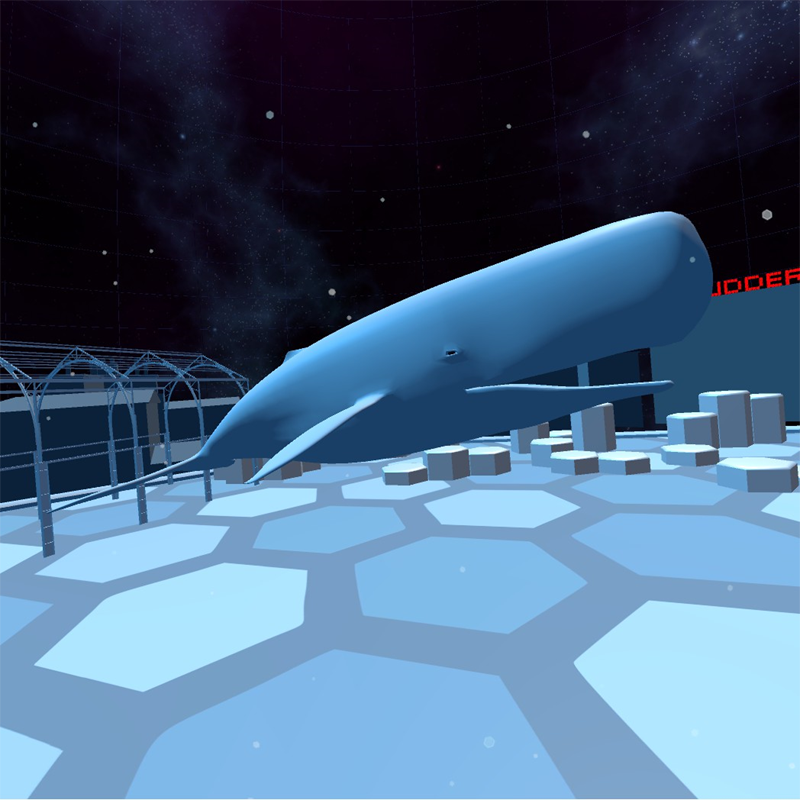
I’m confused as to why the 3dRudder website advertised “The Whale” as a key feature in “Airboard Arena”
Although the calibration interface isn’t bad, this requirement is problematic, and serves as (what I believe to be) the single worst thing about the 3dRudder. This is because you must re-calibrate your Rudder for every Rudder-compatible game you play. Every. Single. TIME. Tired of the current game and want to switch to a different one? You must re-calibrate. Want to play the same game, but closed SteamVR in between play-sessions? You’ve gotta re-calibrate. Hell, even if your game crashes, and you want to relaunch it ten seconds later? Guess what- don’t forget to re-calibrate first. As I mentioned earlier, the process of doing so is streamlined, so it could be worse. However, the simple fact remains: if you intend on using the 3dRudder as an everyday VR system, calibration is a huge increase in the setup time you have to worry about.
Rather than simply clicking a “VR” button, turning your controllers on, and wearing the headset, the Rudder adds a cumbersome procedure that you must complete before playing. The 3dRudder is absolutely not a plug-and-play device, even though it literally describes itself as one on its website. Although this claim is mainly meant for non-VR games,* I still believe that it’s misleading to suggest that the 3dRudder is a plug-and-play device, since it’s marketed heavily towards VR players.
*Note: Dead Effect 2 VR, with native Rudder support, is the only compatible VR title that actually is plug-and-play
Gameplay using the 3dRudder is an extremely glitchy experience. At random moments, for example, everything will begin spazzing-out. The environment shakes as if it’s having a seizure, and your controllers turn into a vibrating, pixelated mess. This obviously makes games unplayable for a number of reasons, but when exiting your game, you’ll notice that VR in general is plagued by this issue. Restarting SteamVR fixes the issue, and all it takes is yet another recalibration to get back in the game. At other times, your VR tracking software will simply crash. Vive’s display freezes, and SteamVR gives a “network lost” error. Thirty seconds later, it changes into a “warning: run room setup” error. Restarting SteamVR, and of course, recalibrating, fixes the issue. This glitch is caused by one of two things: For one, it has a chance of happening anytime you respawn outside the map, such as in Gorn, Sairento, or Vertigo. It’s also likely if you step on the Rudder mid-calibration, and although the dashboard explicitly tells you not to do so, it’s still an easy mistake to make. These and other glitches are infuriatingly frequent and serve as a huge impediment to the gameplay experience. Steam highly recommends that players turn on “beta” mode for its VR client, which includes important updates and is useful for avoiding glitches. In order to properly calibrate supported games with the Rudder, however, SteamVR must have this mode turned off. I’m not sure if these glitches are directly caused by the 3dRudder, or if they’re a result of SteamVR being in non-beta mode. At either rate, playing with the Rudder opens your VR experience up to a number of severe glitches.
This whole time, I’ve barely mentioned the 3dRudder’s most significant, but arguably least pertinent feature: Non-VR gameplay. Unlike VR games, any others can be played with minimum calibration. This is because you can easily assign keyboard and/or mouse commands to the Rudder, which remain consistent throughout every game you play. Playing non-VR games using the 3dRudder is cumbersome and awkward, but it still works very well. As long as your initial configurations are in order, there are no glitches and gameplay works as it should. I believe it’s generally even harder to control non-VR games than VR ones using the Rudder, and since you’re already sitting at your desk for the former, there’s almost no reason not to use the standard mouse and keyboard instead.
This has one major exception: People with physical disabilities. For gamers with impaired or absent arms, for example, the 3dRudder could be an absolute game-changer. For someone missing a hand, who couldn’t otherwise be pressing the WASD keys, the Rudder brings a whole new level of accessibility. The same could be said about VR gamers who aren’t capable of standing for extended period of time, for whom VR gameplay might become more viable than ever. If you’re someone who would physically benefit from seated foot-based locomotion, I can see why the 3dRudder would be an absolutely crucial device. The same can’t be said, however, about gamers who just think it looks cool. If you’re like me and want a VR locomotion controller that uses your feet to provide a more immersive experience, you’re barking up the wrong tree.
All this leads me to the 3dRudders most important, most unfortunate issue. One that’s not only inevitable, but unavoidable, due to its very style. This is a controversial statement, since it de-facto rules out the 3dRudder even if it weren’t for all its other problems: If you aren’t physically disabled, and don’t get severe motion sickness, the Rudder is totally obsolete. You really might as well be using the standard controller’s trackpad. If you’re looking for a more immersive VR experience, there are almost no incentives for you to buy this. You must sit down to use it, and although this has the trade-off of making your experience less tiresome, it also makes it much less immersive. Even without a Rudder, you can play most VR games seated by using better-functioning, free mods to SteamVR. Naturally, however, seated gameplay without a Rudder comes with its own issues. Not only would this make the game less immersive, but it would make motion sickness even worse. This is where the 3dRudder comes in, promising a seated VR experience that remains immersive and eliminates motion sickness as well. While this device succeeds at doing just that, it doesn’t exactly surpass anyone’s expectations.
Movement in Fallout 4 VR using the 3dRudder is easy, and allows for longer play-sessions than without it.
If you’re interested in a more immersive experience with the rudder, you must consider a major trade-off: While seated gameplay removes immersion, foot-powered locomotion gives it back. Even then, the end result still isn’t any more immersive (if not somewhat less so) than playing while standing up without the Rudder. To put it simply, the 3dRudder isn’t exactly doing you any favors in regards to immersive locomotion. This is even truer in regards to its rotation system: When seated, you can’t turn your head past a certain angle or spin your chair around. You’ll either hurt your neck or tangle your cable, respectively. This is why the Rudder’s spin-to-rotate system is crucial to the experience, as it allows a full range of movement that barely requires you to move. Now, this is certainly my opinion, but I know that it’s shared by a significant amount of the Vive and room-scale community: I absolutely HATE having artificial rotation in games. It’s unnatural, discombobulating, and requires an additional control input where you could’ve otherwise just turned around. I personally think that unless your VR system doesn’t support room-scale, there is no reason good enough to voluntarily choose artificial rotation.
The 3dRudder provides a compelling argument to the contrary, however. Being able to rotate using your feet is definitely an improvement to this system, and I tolerate artificial rotation when using the 3dRudder more than when using the trackpad. Its website also boasts that this prevents your cables from getting tangled, and this is technically true, as long as you face your chair and Rudder away from your PC (as I discussed at the beginning of this review). Nonetheless, I don’t think it’s worth it. There still isn’t any method rotation more immersive than the natural room-scale kind, in which all you need to do is turn your head. While a crucial and functioning feature, the 3dRudder’s artificial rotation is yet another factor that makes it less immersive than playing while standing up.
Would I recommend this peripheral VR hardware to the average consumer? The 3dRudder takes one sizable step forward, but two giant leaps backward. It’s a fascinating device that attempts to tap into the commercial market for VR immersion solutions that integrate your feet into locomotion and sees limited success. This is a complex and highly subjective device, for which my judgments can’t be boiled down to a simple recommendation or rating. Priced at a cozy, but still hefty price of $100, it really depends on what you’re hoping to get out of the 3dRudder. If you’re interested in a more immersive form of locomotion for a wide variety of games, you should be looking elsewhere. If you’re a die-hard Fallout 4 VR or Dead Effect 2 VR fan, who wants to put countless hours into those two games without exhausting their legs too frequently or becoming too motion-sick, the Rudder is a somewhat interesting toy that you might want to keep an eye on. If you’re physically impaired and can’t properly use control schemes without use of your feet, then this device could potentially be a must-buy. In the end, it all comes down to your own opinion. The 3dRudder has an overwhelming list of issues that have a negative impact on gameplay, but it still succeeds at doing something new and unique that I hope more products attempt to replicate in the future. If you want a seated, stationary VR experience that’s no less immersive than otherwise, the 3dRudder is worth checking out. If you want to make your experience more immersive, or you’re just interested in a cool new controller, you will likely leave disappointed.
Developer / Publisher – Braincells Pruduction Inc. Price – US $4.99 / EU €N/A / UK £N/A / AU $N/A Release Date – April 10th, 2018 Control Method – 2 x Move Controllers Play Type – Seated, Standing Pro Patch – No Digital Only – Yes Reviewed on – PS4 Pro
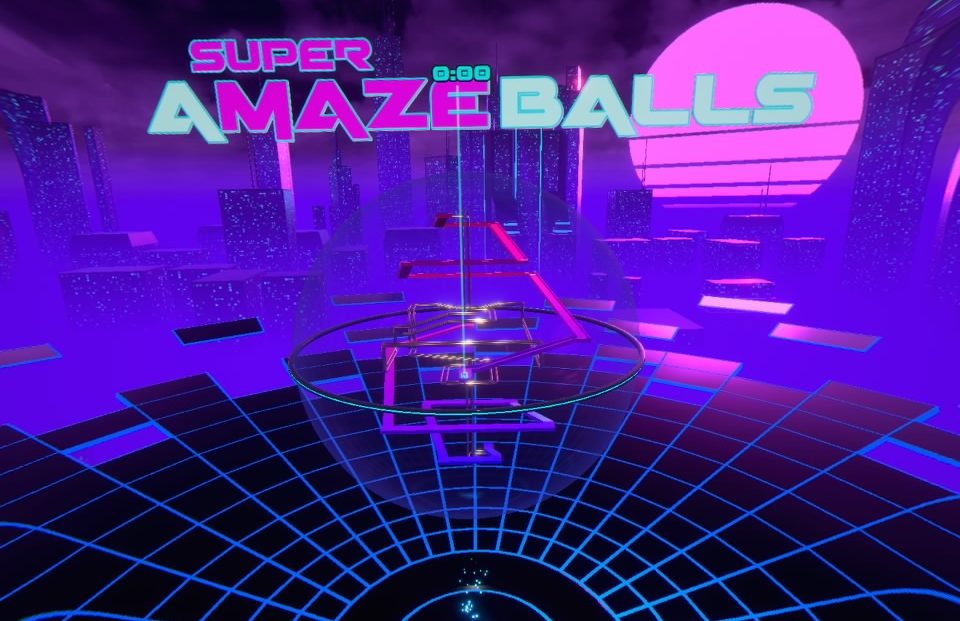
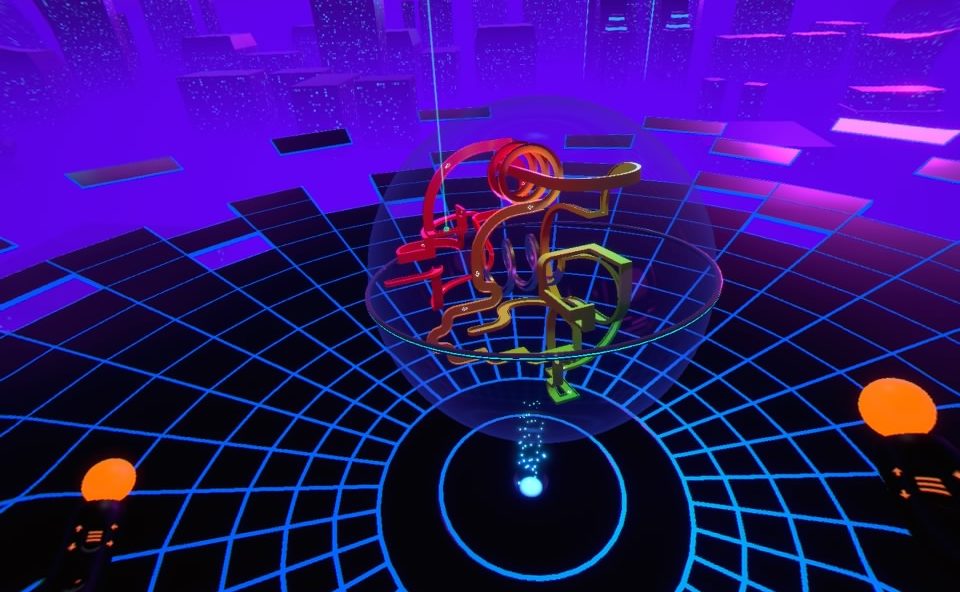
If you remember that old Labyrinth table top game than you may be showing your age just a bit. For those who don’t know what that is, it’s a 1ft(ish) square block that has dials on either side of it to tilt the play surface up or down in that direction. The goal was to get the ball to the end without losing it down holes placed throughout the maze. It tested both your reflexes and strategy skills as any one misstep could spell your doom. SUPER AMAZEBALLS is that game on so many steroids that if it were in a sanctioned sport, it would be illegal.
Check out my ball…it’s amazing!
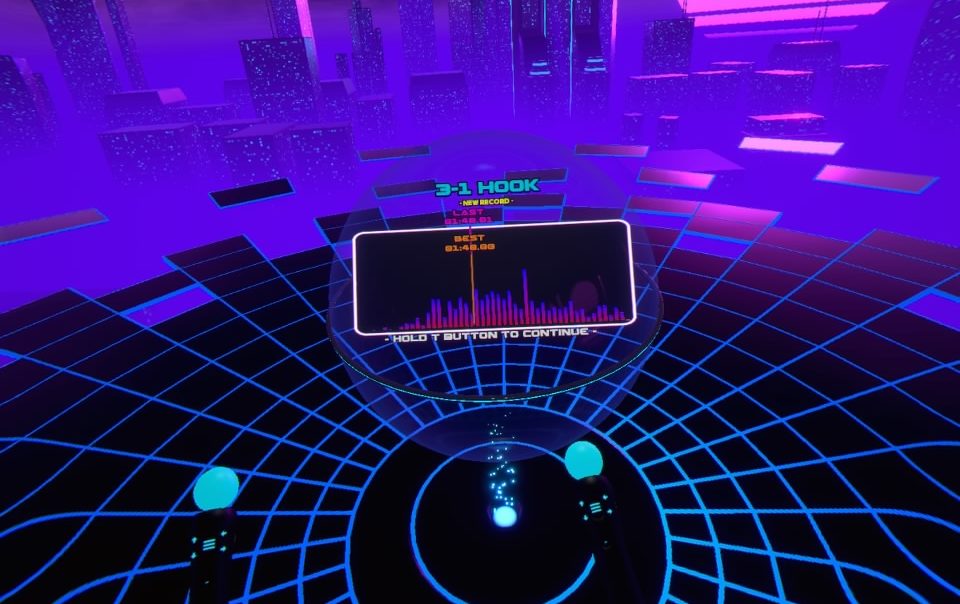
The mazes in question are placed inside clear spheres which you must manipulate using your in games hands. You are going to need 2 Move controllers to play this one, as well as steady hands, patience and maybe just a little luck. Once you press the trigger, a hand icon shows up on the sphere, anchoring that position to your controller, from here you just move the controller in whatever direction you want, tilting the sphere in that same direction. It took me a few stages before I began to feel more comfortable with this scheme, but when I did, I began to pull off some stellar moves that kept my ball on the track where it should have fallen. When your ball goes off the track, it resets back to a certain checkpoint, usually very close to where it fell off and on more than a few occasions if it bounces at just the right spot before it falls, your ball may even jump ahead to the spot you were trying to reach, saving you some grief. Every time your ball falls off, 5 seconds are added to your time with the goal being to complete each track as fast as you can.
It’s a simple game with a simple look and it works. The sphere is always the same size and depending on the stage it may be damn near full of twists, turns, loops and mazes or rather sparse with a 2-bar track just bending all around the inside of the sphere. Tracks are colorful and change up in look as you beat each one. The background stays the same, but I was honestly so focused on the gameplay that I didn’t even notice it until I went to re-watch myself playing. Customization options allow you to move your sphere into an ideal position or resize it should it feel to small or big.
Put your skills to the test and see how you stack up with the rest of the world.
Audio wise your little ball sounds like it’s made of steel and as it travels along the path it sounds like a steel ball would as you can hear it roll and hit walls. There is a selection of dubstep and techno tracks that play during the game which to me didn’t really fit the action and felt very akin to the soundtrack in Stunt Kite Master. There is thankfully an option to turn this off so if you want something a little different, just pick something from your Spotify playlist instead.
The physics at play here are really something to marvel at as the weight of the ball just felt perfect. With that said, a few courses felt a little cheap in their design and I only really circumvented them by luckily triggering the checkpoint system, enabling me to bypass an obstacle or 2 that may have taxed my skills beyond their limits. That said, most of the courses are more than fair and as long as you are patient you can get that ball to the end…just don’t expect to get a high score or anything. I also noticed that the tracking can be a bit jerky at times causing me to lose the ball during sections that require finesse. Once you beat a track you can go back to it whenever you want and beating all 25 courses unlocks Hardcore mode which doesn’t allow for failure on any of the tracks making it much truer to its Labyrinth roots.
The courses only get harder as you progress
SUPER AMAZEBALLS is a great little dexterity-based puzzler that will test you brains and skills at subtly manipulating a tiny ball through a variety of tracks. It’s addicting, challenging, rewarding and the cross-platform global leaderboards show exactly where your skills fit compared to other players. This is a solid little game that utilizes VR in a great way and is a showcase for a game type that just wouldn’t work on a television.
What would I pay? The $5 asking price is so easy to say yes to. Depending on your skills this will take you probably an hour and half or longer to beat and it’s so easy to replay a level and see if you can’t do just a little better on the leaderboard. This is a solid game for a great price.
Developer / Publisher – Other Ocean, Owlchemy Labs / Adult Swim Games Price – US $29.99 / EU €29.99 / UK £24.99 / AU $39.95 Release Date – April 10th, 2018 Control Method – 2 x Move Controllers Play Type – Standing Pro Patch – No Digital Only – No Reviewed on – PS4 Pro
I’m not the biggest fan of the situation simulation genre; that’s not to say they are bad games, far from it. I totally acknowledge that a few of the most important VR games are in this genre and are also some of the higher quality games available for any of the headsets, they just kind of bore me. I typically find the tasks to be to simple to keep my interest very long or the emphasis on freedom just has me wishing for something to do besides just mess around. So far, we have seen only unique IP’s in this genre for the PSVR but now, thanks to the fine folks behind Rick and Morty, we get our first tie-in that uses the same tropes we have seen in similar titles, yet thanks to the universe it takes place, still manages to feel a little fresh.
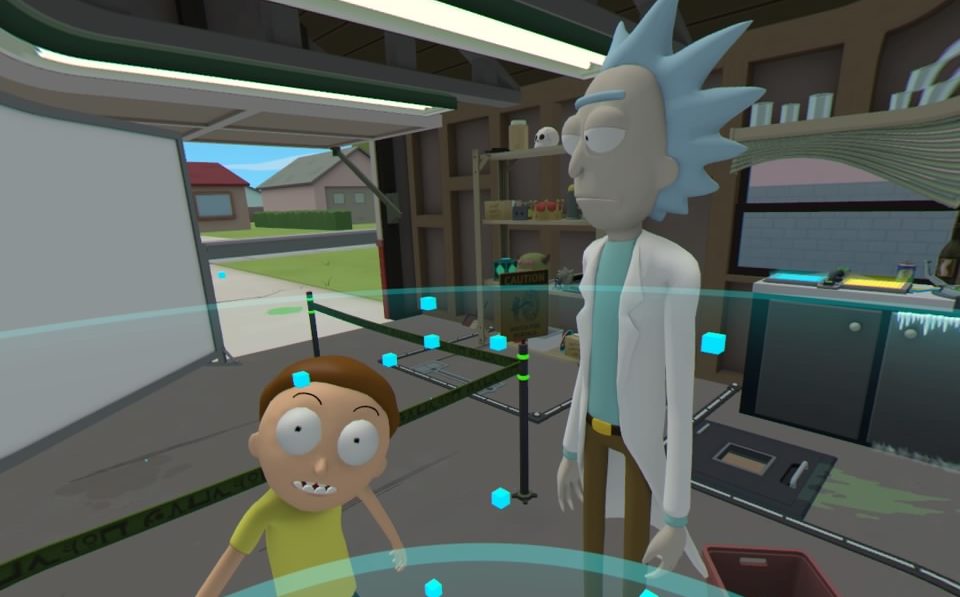
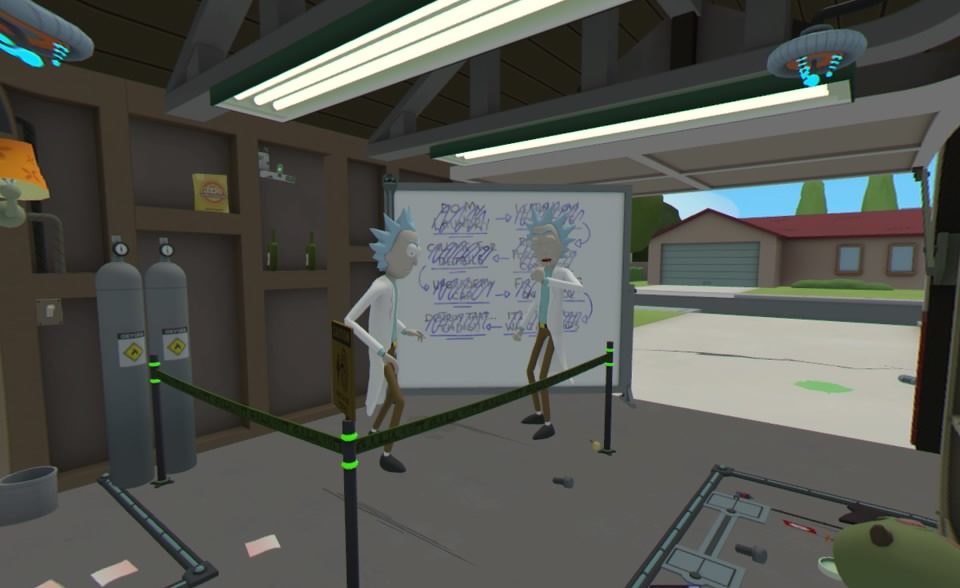
I’m not gonna lie…seeing these 2 in VR is pretty sweet
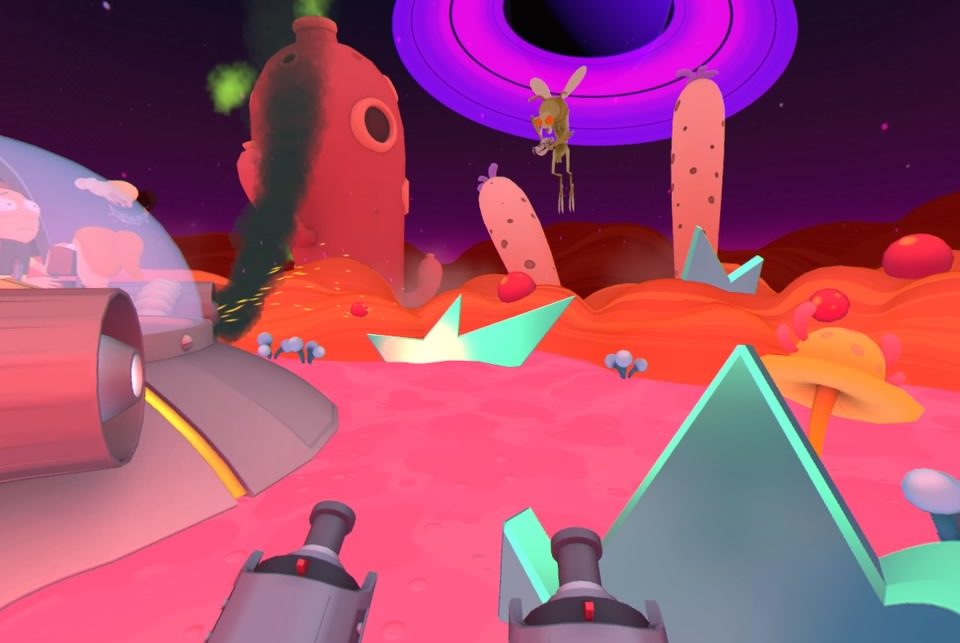
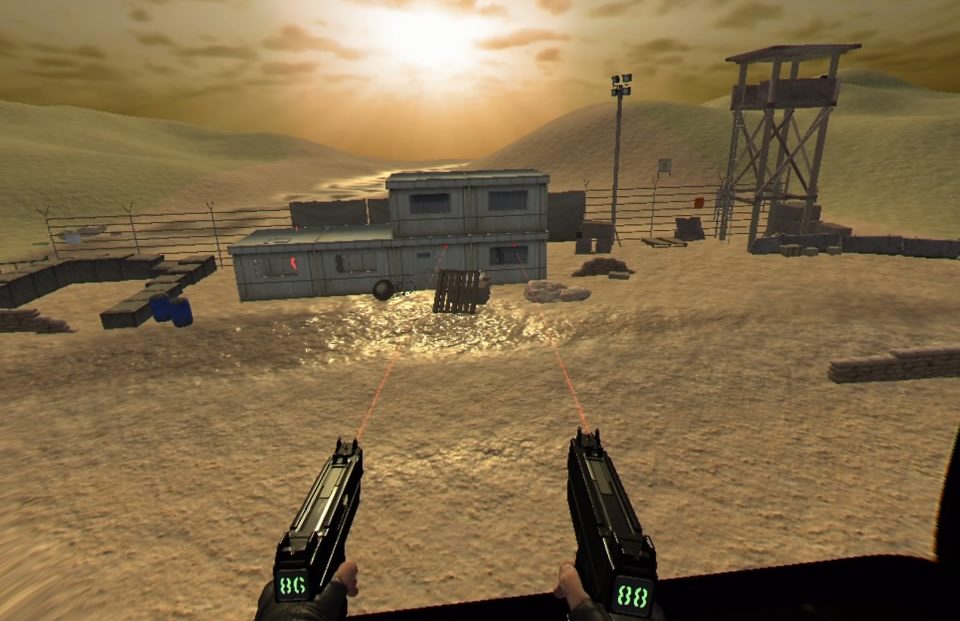
Like any situation simulator, you need 2 hands and thus need 2 move controllers. As a clone of Morty, you just grab stuff and move it, place it, push it, pull it or any other actions that require the use of your awesome human extremities. Some unique gaming elements include a wrist watch where Rick communicates your next task to you, a You-seeks which summons a being who mirrors your every action allowing you to manipulate objects out of reach, and portals which bring you to a completely different area to retrieve an object needed for whatever you are currently working on. There is a shooting section that offers some simple dual wielding blaster action and a game inside a game lets you make some simple life choices whereupon you can see the consequences of your actions. Rick’s garage features a limited teleport system that takes you from one of 3 stations while the rest of the game is played stationary as you work with whatever is in front of and around you.
It’s time to get your dual-wielding action on!
Typical of the genre, and completely expected given the show this is based on, everything here is cartoonish and exaggerated making for visuals that pop in VR. The simplistic details on models and basic color palette give everything a very clean look. As a fan of the series, venturing into Rick’s and Morty’s world is an absolute delight and almost every “random” object around you is a nod to 1 episode or another and had me chuckling in remembrance of those past adventures. Seeing these characters in glorious VR is crazy awesome. The few environments are fully realized and are perfect representations from the series which is great for people familiar with the show but may be a little less impressive to those just dipping there foot in this universe for the 1st time.
Thankfully, Justin Roiland and a few other actors reprise their roles here and play their parts without fault. Rick is a sarcastic, crusty old scientist who continually berates not just you but everyone else in the game, while Morty is a more dim-witted insecure teenager who takes just as many jabs at you as Rick does. The comedy here is great, though sparse at times, but nails the same level of humor from the TV series. A few characters from the series pop up and further hammer home just how niche this title can be at times. Like I said, fans of the show will pull a lot from this while those unfamiliar may not just not quite get what is happening.
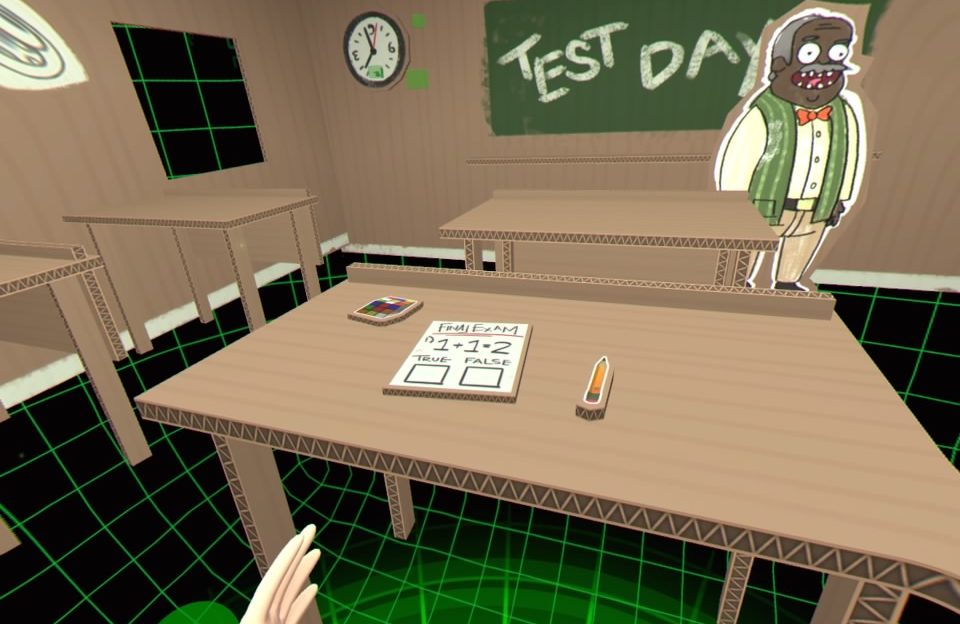
Troy is a game inside a game…so meta.
There are 3 mini-games you can revisit, a shooting gallery that has you shoot armed insects and tracks just how many you can kill in one session. ‘Troy’ is a parody of a game featured in the series that’s let you make very simple choices at certain points in a virtual life and watch the comedy unfold. Troy takes about 5 minutes for 1 playthrough and offers enough different options to make this feel fresh a little longer than I thought it would. Lastly is a battery charging station which requires you to spin dials, pull levers, and press buttons all at an ever-increasing pace which was fun during the required campaign portion, but I had little drive to return to it after I beat the game.
My largest issue with Virtual Rickality is the tracking. At numerous times during my play I was battling the limitations of the PSVR camera as sometimes objects were just out of the cameras range. I ended up calibrating my position in game to be lower than default, which remedied some of these issues, but when I got caught up trying to grab something, I couldn’t help but get a little annoyed. Some may find the lack of guidance during some portions of the game to be a little confusing, but I liked having to just stop and think about what the game was asking of me and figure these puzzles out on my own. The game never gets to difficult but offers enough unique gameplay elements to make it stand out from similar titles.
You can’t help but feel like you are playing through an episode from the series!
Virtual Rickality’s largest strength is its fan service, which ironically is also it’s biggest weakness. I expect fans of the series to eat this up and probably spend more time in here than they might think. The actual game took me around 2 hours to complete, but I was messing around a bit as I enjoyed looking at a Plumbus and other items from the series or just making sure I listened to every piece of dialogue without cutting it off. Once the game is complete, there are a few bonuses and Easter-eggs to look for which once again are just for Rick and Morty fans. If you have never seen an episode of Rick and Morty, then I feel most of the humor and jokes will just fly over your head and you’ll be wondering what all the fuss is about in the first place.
What would I pay? As a fan, I’m okay with the $30 asking price, though some may feel it’s a bit steep. Virtual Rickality plays like an extended episode from the series and I loved being a part of it. For those that aren’t familiar with TV show, you’d be better off waiting for a sale.
Developer / Publisher – Ivanovich Games / Perp Games Price – US $19.99 / EU €19.99 / UK £14.99 / AU $26.95 Release Date – April 10th, 2018 Control Method – Move Controllers, DS4, Aim Play Type – Seated, Standing Pro Patch – No Digital Only – Yes Reviewed on – PS4 Pro
I think most of us early VR adopters have been looking forward to not only seeing what new ways we can experience games, but what VR games can bring to classic genres. What I have never seen before is just how VR handles placing a full arcade game in a virtual space and playing it in both traditional and newly immersive ways. Clearly inspired by classic shooters like Operation Wolf, you take hold of a gun on an actual arcade cabinet and begin to unload at all sorts different enemy soldiers and vehicles in your quest to conquer all the stages.
Pictures don’t quite show just how close you are to the action
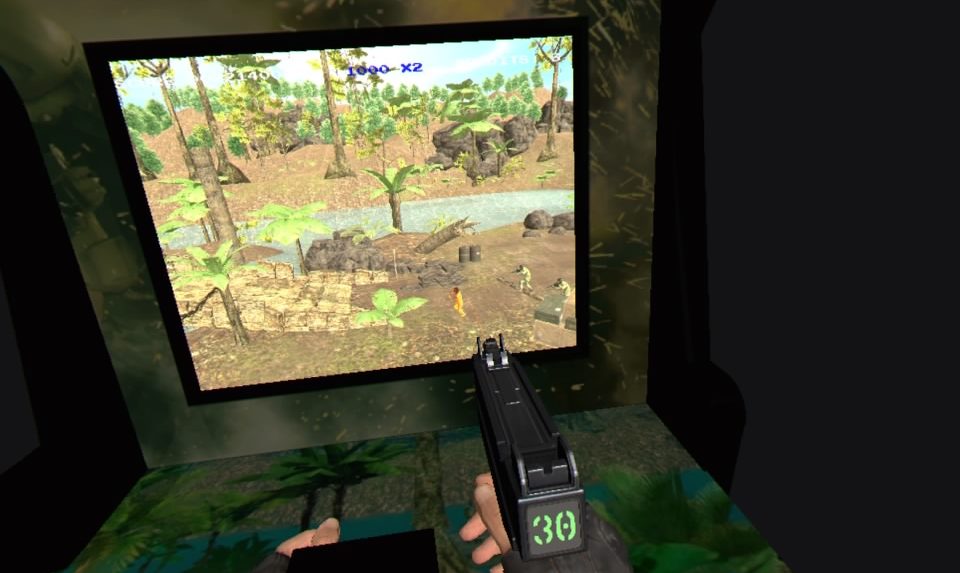
With all 3 PSVR methods of controls available, if you have the Aim or Move options, just stick with those. The DS4 is tracked and plays like the Aim controller, but is just not quite as comfortable, or fun, as the other options as it locks your hands in front of you. You only get one gun no matter what method you pick, so while the Move controllers allow you to throw grenades with your left hand, the other methods just assign grenade tosses to buttons. That’s about it really, enemies appear from the right and left of the screen or pop up in windows or from behind obstacles scattered around the ever-panning environment. You can choose “immersion” or “classic” mode with latter placing you in front of the arcade cabinet as if you would in real life and the former placing you right next to the screen where you can actually lean in and see further left or right, as if looking through a window and for me is the way better way to play. If this sounds dull to you, which it’s not, and you need more convincing there is also immersion mode!
Classic mode lets you play like it’s 1987!
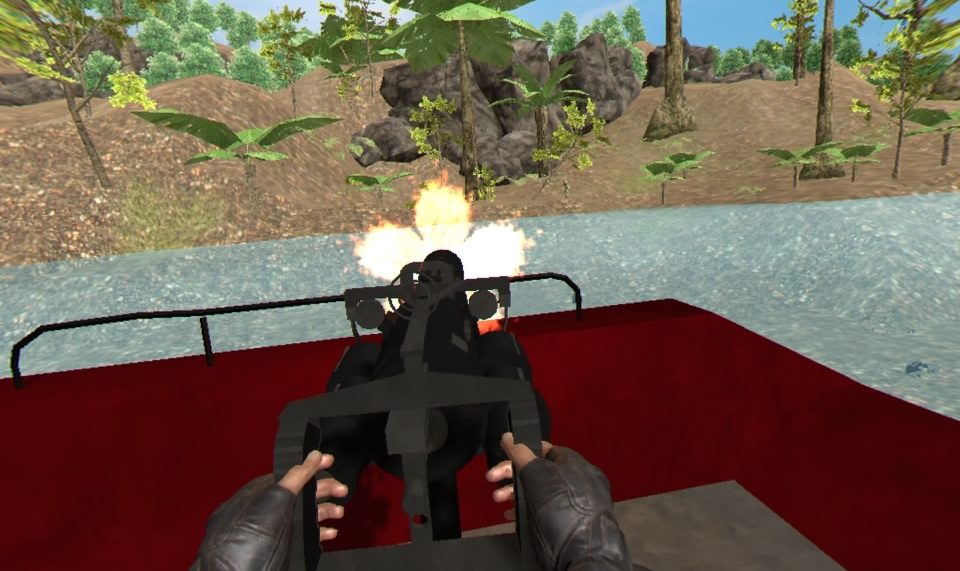
Immersion mode takes you “inside” the game instead of the overhead/side view of the action. Throughout each stage are certain icons that can be shot which momentarily pause the action and put you in a first-person mode inside that game. Many of these moments involve, just shooting from cover or driving through the stage while shooting, which is great with dual moves as you have to steer with 1 hand while shooting with the other. You may be placed in a chopper, shooting from the skies or in a fighter jet or boat with mounted machine gun. These immersion moments break up the gameplay wonderfully and spice up the action nicely.
Each of the 6 stages has 6 levels and 3 stars each. In order to unlock more stages, you need to get those stars. Those stars are stage specific goals like getting a certain number of headshots, not killing civilians, running over a set amount of enemies with your jeep or a host of objectives which add some nice goals keeping Warcade feeling fresh. It won’t take too long before you are forced to revisit past stages to get that 1 star that eluded you on your previous attempts but thankfully each stage only lasts a few minutes so multiple plays never really get a chance to feel old before you have reached their end.
Immersion mode literally puts you in the game!
The visuals here are probably the most disappointing aspect of the game. The stages are washed out and don’t carry a lot of detail but are serviceable. The guys you are shooting at look like army men and, excluding immersion mode, look just fine as they are usually so far away that details would be hard to see anyways. Vehicles and buildings lack any real detail and look more like basic geometric shapes twisted together to form those objects. Pop-ins and outs are rampant but mostly occur on the right and left sides of the play area so don’t really affect the action to much. Given the nature of the game the look works and when combined with the variety of options presented in immersion mode, it’s easy enough to forget how lacking this can look and focus on just having fun taking out the bad guys in all manner of ways. The presentation may also be saved by some much better audio. Guns all sound great, enemies yell upon death and vehicles all sound like they should. If you want to change up the music, you can go with visceral silence, some techno jams or more traditional actiony rock tunes.
Other then the visual foibles at play, there really isn’t too much to whine about here. Some of 3-star goals can be a little tricky to get, but I have yet to encounter one I haven’t been able to get after 1 or 2(or 5 or 6) attempts. Some can feel a little unfair at 1st, but as you get better they can become easier and after you achieve that goal, you no longer have to worry about it so just focusing on only 1 objective becomes very easy. Besides the typical machine guns, shotguns and sniper rifles other more eccentric weapons pop up like throwing knives, explosive bow and arrows, freeze grenades, a gravity gun and a few more amusing options. The classic mode also has limited ammo making you dial back just how often you pull the trigger while immersion mode lets you unload with reckless abandon.
If you can’t tell, that’s an enemy solider on the end of my gravity gun!
There is a host of content to get through and every time I encountered a new type of immersion mode excited me, and there are plenty. The visuals are lacking, but the gameplay and content more than makes up for those shortcomings. This is a throwback title given a VR makeover that works great. It’s cool to lean into your screen and look around or toss a grenade from outside the cabinet. You also unlock power-ups that help you out and there are leaderboards for both modes that just keep track of you accrued score so the more you play, the higher you’ll place. Operation Warcade is an awesome homage to classic cabinet shooters from the 80’s and 90’s that transitions great into VR.
What would I pay? The $20 asking price is fine for this. 36 stages, a host of objectives, 2 modes and some great mix-ups in gameplay make this game feel fresh way longer than you might think.
Ivanovich Games provided The VR Grid with a review code for this title and, regardless of this review, we thank them for that!
Developer / Publisher – Wales Interactive Price – US $19.99 / EU €19.99 / UK £14.99 / AU $26.95 Release Date – April 10th, 2018 Control Method – Dual Shock, 2 x Move Controllers Play Type – Seated, Standing Pro Patch – No Digital Only – Yes Reviewed on – PS4 Pro
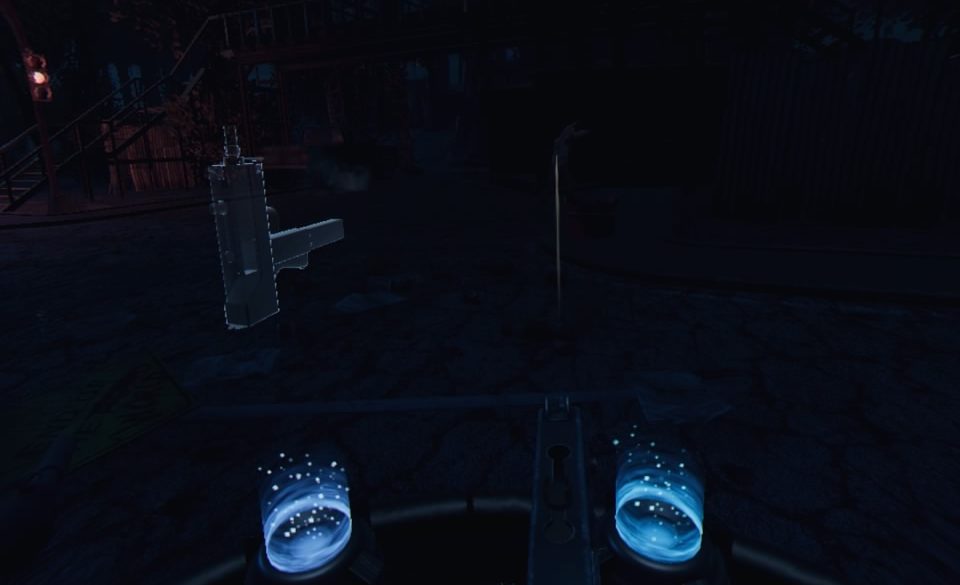
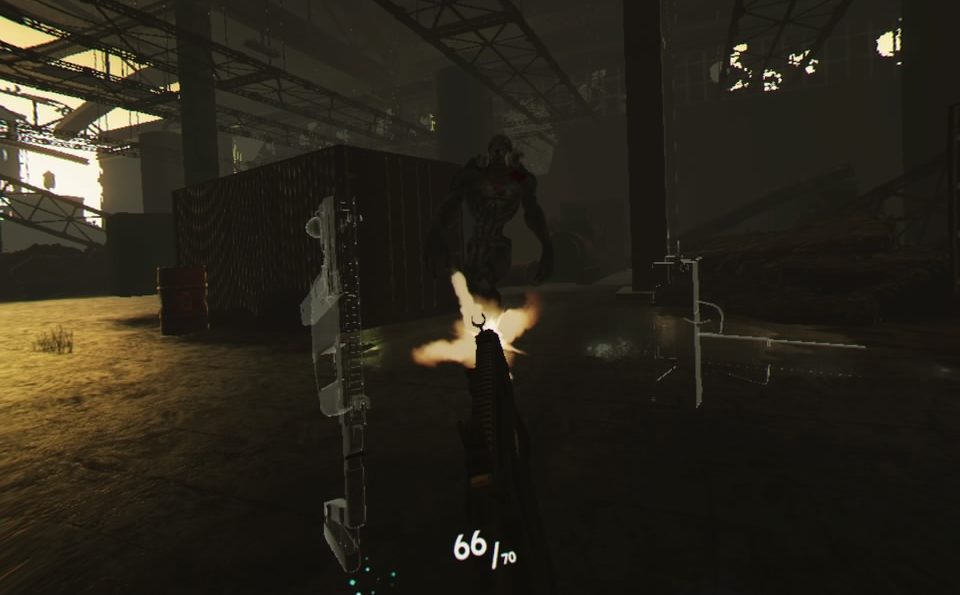
Time Carnage is a wave shooter which in all honesty is a genre that just needs to leave VR alone for awhile. There have been a few great wave shooters, but most, more often than not are easily forgettable or just down right bad. I can see the draw for a developer to make a stationary shooter in VR given some of the limitations of the technology but unless you have a crazy high budget to bring some over the top amazing visuals or have a unique mechanic that may redefine how you look at the genre, then I’d say it’s best to move along and maybe give us VR fans a break from the waves. I was optimistic that Time Carnage would be a pinnacle in the genre as the devs put a lot of content in here from multiple game types to make for a somewhat whacky shooter. Unfortunately, I expect this to get lost in the seemingly endless amounts of wave shooters that we already have and are yet to receive.
It’s hard to see, but I’m shooting at a zombie.
It’s move controllers only and a dual wielding affair here with (sort of) unlimited ammo. The gunplay is very stock and is serviceable but doesn’t do a whole lot to separate itself from other games of this type. What does make Time Carnage different is the way your guns are reloaded. In front of you are 4 pedestals, which you can fill with whatever gun you want from the list of arms you have unlocked through playing the game. You tap the Move button while your hand is near the gun you want to grab and press the trigger to fire. When you are out of ammo or want to reload, just tap the Move button again and the gun gets placed back on the pedestal and begins to reload. Each gun type has different stats, carrying capacity and reload rates and though it took me a little while to get used this mechanic, the more I played, the more it grew on me. As you progress you also unlock abilities that can assist you in your play.
As I said, there is a fair bit of content to get through, the campaign takes place over 4 stages with 4 levels each, each containing 10 waves so for those that hate math, it’s 160 waves of action. Additionally, there is a challenge mode, which sets up specific scenarios for you to test your skills in. Maybe only headshots will refill your ammo you will only face one type of enemy or only be given a select loadout. It’s a welcome addition that forces you to exit your comfort zone as far as loadouts go and provided some fun moments. Also available is arcade mode which feels almost identical to the campaign mission and just allows you to use those unlocked abilities as you play through missions you have already put behind you.
The larger monsters don’t really offer up that much more challenge
On paper, this all sounds good, but in practice Time Carnage feels like a mix of every other wave shooter you have ever played before. Initial waves start off very easy and slowly ramp up in difficulty. Some stages feature explosive barrels that can aid you if you are feeling overwhelmed and as the action takes place only 180 degrees in front of you, it’s pretty easy to not be surprised by the incoming hordes, though every now and then , one may slip past your sights and start chipping at the shields protecting you and your little time-traveling platform. No matter what gun you pick, even 2-handed rifles, they are carried on 1 hand making many guns feel the exact same meaning all your really have to decide is which gun has the fire rate and damage that you like the most. There are 25 guns available and include a bunch of machine guns, pistols shotguns, rifles and a few other more unique options.
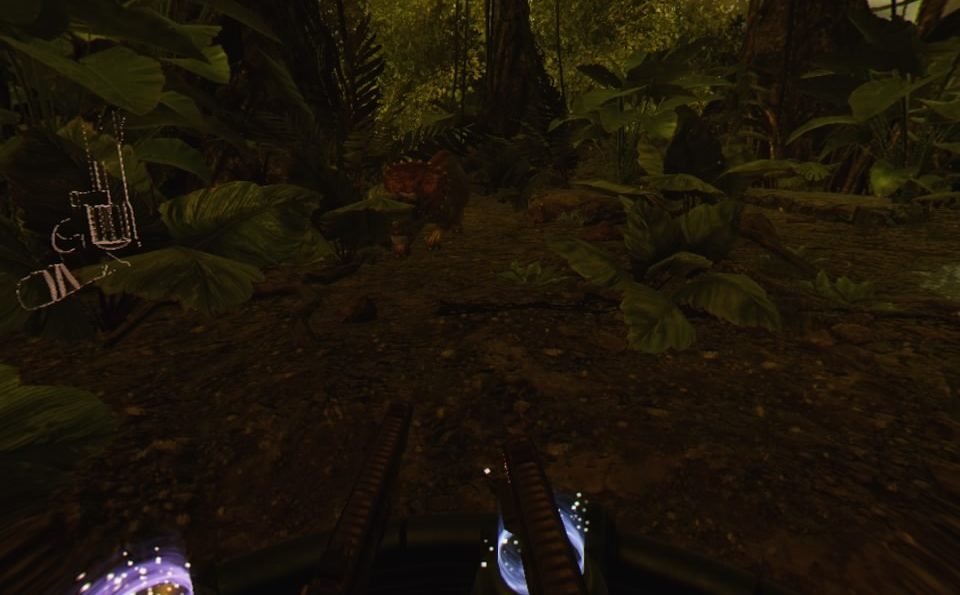
You can hear these Triceratops coming from a mile away
I found the stages looked alright, though there are a fair bit of jaggies present on many of the backgrounds. Enemy models look okay from far away, but up close don’t hold up that well. Almost every enemy type has 1 model, so you will be killing the same zombie, raptor, killer robot or skeleton again and again. Lot’s of clipping occurs as enemies walk through plants and other pieces of the environments. Larger enemies show up as you progress through each stage but barely take more effort to dispatch than the rest of the lemmings headed your way. Some stages look clear, but others are very dark or washed out giving an odd disparity between levels. There is a cool slow-motion mechanic at work that lets you catch a breath as you still move at the same speed but when enemies are hit, in or out of slow-mo, their ragdoll physics take over and many just go sailing back as if they were hit by a semi truck. What’s jarring is that in slow-mo the enemies get super jerky, as if they only contain a few preset animations that become glaringly awful and look laughably bad. Overall, Time Carnage doesn’t look awful, but outside of the ‘tunnel’ loading screen and the light bending sphere that brings and removes you from a stage, there is almost nothing here that you haven’t seen before in a VR wave shooter.
On the audio side, this is pretty much on par with the visuals. Some intense music accompanies each level and each enemy has a different sounding footstep that gives away when they are coming, should you be facing the wrong direction. Many of the ‘footstep’ sounds are really loud and don’t change in volume whether that creature is very far away or right next to you. Add in that the some of your enemies will make footsteps sounds long before they appear making for some odd moments in the game where you are just waiting for them to rear their ugly heads so you can take them out quickly.
Like many wave shooters released recently, this one suffers from a lack of any real innovation. It’s sweet that the enemy types here have so much genre variety, but they all basically play the same and the story linking these stages together is next to non-existent. The reloading mechanic is sort of new, though we have seen similar reloading systems in both Shooty Fruity and Sneaky Bears. Monsters follow pre-set paths with next to no AI and while you can choose 4 different guns in your loadout, I found that just choosing 4 of the same gun made for the easiest loadout and many earlier weapons just become useless as you unlock more powerful variants. The additional challenge modes add some depth to this shooter, but most of the game is so repetitive that only after a few waves, I was just bored from the monotony.
What would I pay? Time Carnage is loaded with content but is so mundane as to make most of that content feel redundant. It’s not broken by any stretch, and for those who are looking forward to another wave shooter $20 isn’t nuts. For anyone else who is just tired of this genre, Time Carnage isn’t going remedy that feeling. $10 is as much as I’d pay for this.
Wales Interactive provided The VR Grid with a review code for this title and, regardless of this review, we thank them for that!
Developer / Publisher – Subdream Studios Price – US $14.99 / EU €14.99 / UK £10.99 Release Date – April 18th, 2017 Input – Tracked Motion Controllers Play Area – Roomscale Store – Steam Reviewed on – Oculus Rift
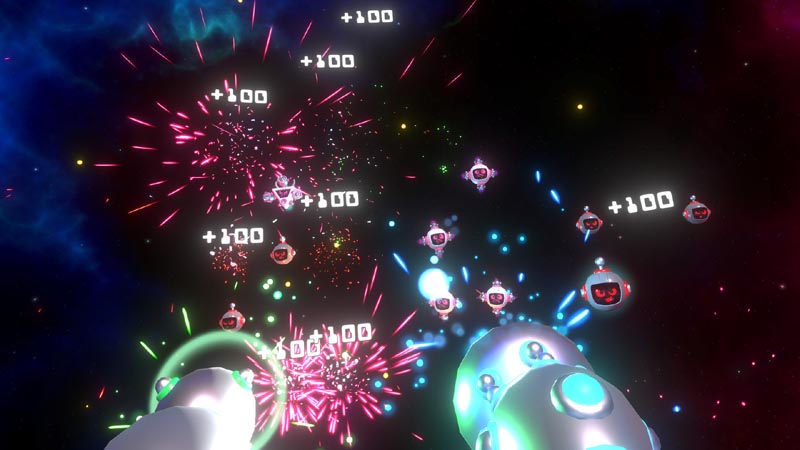
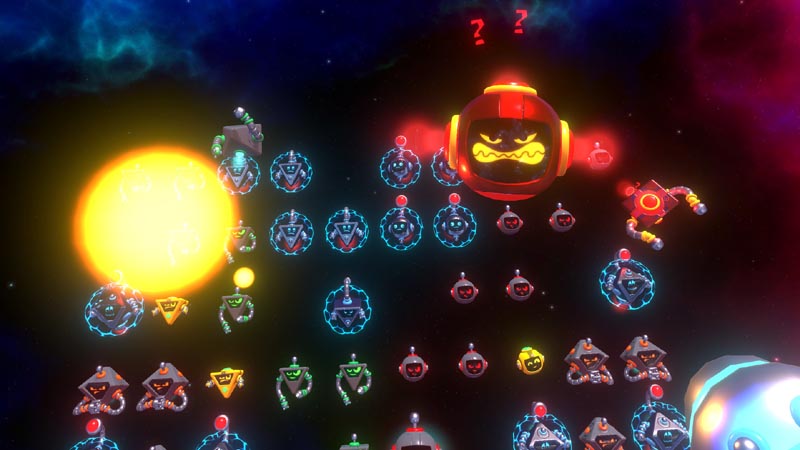
Mega Overload is a wave shooter with a twist: it plays like a VR Galaga. Waves of robots and UFO’s come down on you, raining bullets and danger as you move around avoiding their shots and blasting them out of the air. Mega Overload is a spaceport of fun, but is it just another wave shooter?
The action gets pretty hectic!
Visually the game would be right at home in a kid friendly VR arcade. Bright colors, and polished graphics make the game feel very wholesome, and the music is driving and really creates an arcade feel. That’s not to say the game is for kids however. Difficulty wise, similar to the first arcade games, there is a lot to master here. Enemies move surprisingly fast, and you will find yourself at the game over screen sooner than you may think. This leads to a large amount of replayability tin the game, especially when you factor in the random power-ups and gun upgrades you can get. Achievement hunters will be pleased to hear there are 20 achievements for the game, and a handful are truly difficult to obtain.
I’ve played LOTS of wave shooters, but very few feel as fun to play as Mega Overload. That fun is doubled when you join a co-op game. The game is the same as single player, but you can blast away alien robots with a friend and compete to see who gets the higher score.
Wave shooters, in my opinion, don’t leave lots to review. Either they are polished and fun, or they are fun for 30 minutes and then you never pick them back up. I can happily say Mega Overload is in the polished camp.
In your face!
My biggest complaint with Mega Overload is that, underneath the bright visuals, it’s still a wave shooter, albeit in a neat arcade wrapper. I would have liked to see a few more game modes here. Something like this with an Asteroid theme or a Centipede motif would greatly increase the replayability and enhance the overall package.
Mega Overload is a fun VR take on an old arcade classic, but it is a few gamemodes short of being a staple VR title.
What Would I Pay? I could see paying about $8 for Mega Overload, so picking this up on sale or in a bundle (which is not hard to find) definitely sets you up for a few hours of fun, especially if a friend has a copy as well.
Developer / Publisher – InnerspaceVR Price – US $6.99 / EU €6.99 / UK £4.99 Release Date – August 19th, 2016 Input – Track Motion Controller Play Area – Seated, Standing, Roomscale Store – Steam Reviewed on – Oculus Rift
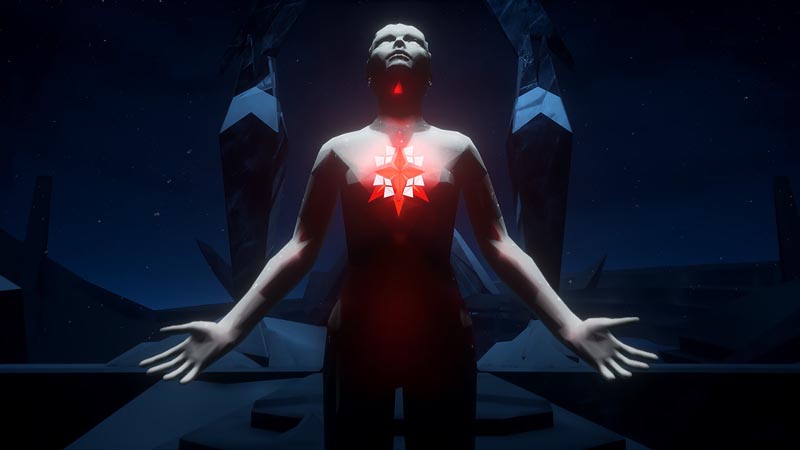
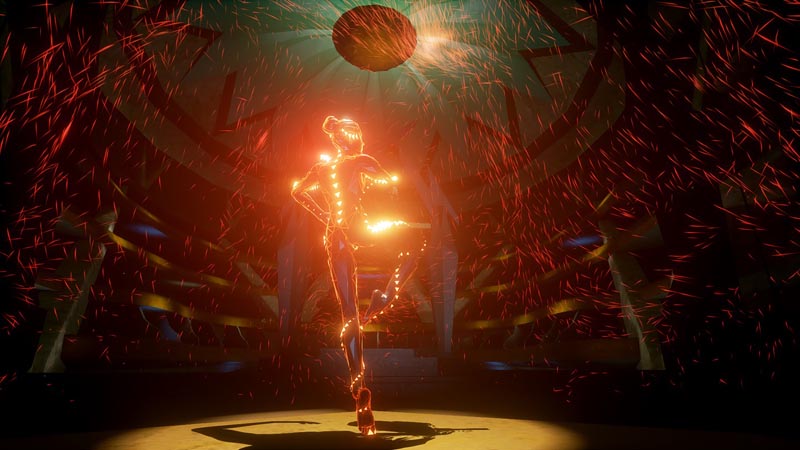
Have you ever wanted to watch a motion captured digital ballerina in VR? Well if you had that oddly specific life goal then you are in luck!
The visuals here are striking at times
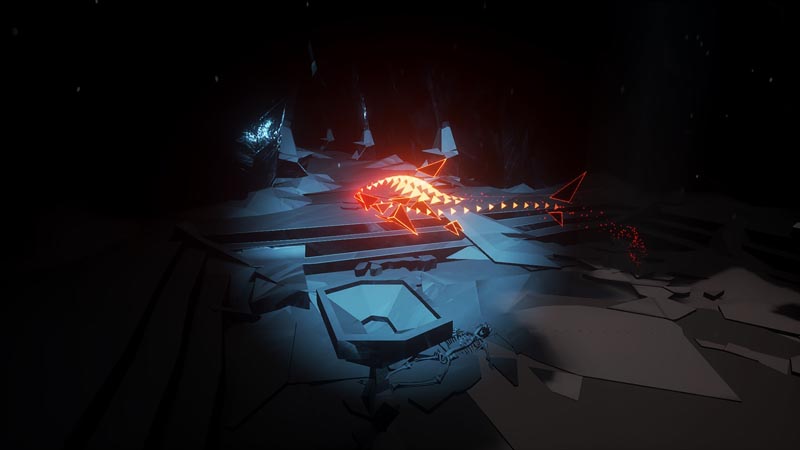
Firebird: La Peri is another VR experience that shouldn’t really be considered a game. While it is interactive, it is still better to consider this a brief experience instead of a game. The experience lasts about 15 minutes and while there are two endings there is no score, or failure state or any real challenge. This isn’t meant to be a criticism so much as informational. If you buy it, you should know what you are getting.
The experience is highly polished in some respects and falters in others. You are given a flashlight and your other hand is used to grab petals as needed in one of the acts. Grabbing petals is the only real interactive portion of the experience as the petals attempt to flee your grasp. It isn’t challenging to grab them, but nothing else reacts to you. One glaring issue I noticed was that even the shadows don’t react to your flashlight. Your flashlight can brighten up areas, but it creates no shadows. Leading me to believe that lighting and shadows is all pre-rendered. Given this, I think they should have just skipped the flashlight entirely.
Like I said…striking
Lighting and clipping issues aside, this is a breathtakingly beautiful experience. The fluidity of motion, the creatures made of light and the mood all work together to create a wonderful atmosphere. Very visually impressive.
The dancing part of this experience is certainly polished, it is a beautiful dance motion captured professionally and it is wonderful. It really is breathtaking to be on stage watching this ballerina perform right before you and be allowed to walk around with them. Your relative position is not considered, so it can create a few issues where the dancer will clip through you if you don’t stand still, the game claims to support room scale and while it technically allows you to move about, it doesn’t react to your movements at all.
The flashlight is a kind of cool, but kind of useless feature
Is this an experience that most people should buy? Probably not, it is an experience that is worth buying for some people. I could see showing newcomers to VR. It works nicely as an experience, it is short and self-contained with no need for training or tutorials. The other group that would find this experience to be worth buying are those that are highly interested in ballet. I am a little bit interested in ballet and have some interest in showing VR to visitors, so I think it is worth owning and keeping installed on my computer.
What would I pay? The asking price of $6.99 is too much for my use case. I would have been happy paying up to $4 considering the short run time. If you have no interest in ballet at all, then perhaps $1 should be the upper limit if at all. If you are very interested in ballet, then the asking price is probably fair.
Developer / Publisher – Imaginati / FoxNext VR Studio Price – US $14.99 / EU €14.99 / UK £11.99 / AU $19.95 Release Date – April 3rd, 2018 Control Method – 2 x Move Controllers Play Type – Roomscale Pro Enhanced – Yes Digital Only – Yes Reviewed on – PS4 Pro
Crisis on the Planet of the Apes has everything going against it. It’s a VR movie tie-in, which are typically less then stellar and it’s published by the same team that made the Martian Experience, one of the most lacking VR experiences on the market to date. Add in the fact that the movie this is based on came out quite some time ago and I couldn’t help but keep my expectations so low as to be off of any measurable scale. With all of that against it, Crisis somehow managed to rise above that very rocky foundation and pulls off being a decent, albeit flawed VR experience!
If movies have taught me anything, it’s that experimentation on monkeys always leads to the apocalypse…ALWAYS!
With 2 Move controllers, controls and movement are handled in a relatively unique way. What you are doing at any given moment in the game is context sensitive, meaning that certain controls are only available at certain moments in the game. No matter what the game is asking of you, every action involves a way-point in one of 2 forms. Walking for instance requires you to look ahead at your next nav point and select the white outline of the monkey. Once activated, you then move your arms in an up and down motion (ala Sprint Vector) to walk to that spot. As an ape, you are also required to climb, which utilizes a mechanic very similar to the rock climb stage in Carnival Games, though I would say this is much more refined. You grab handholds, which may be pipes or bricks and move your arms as if you were climbing in real life. Once you lock a hand in place, it’s very easy to reach and swing to your next point. The last movement option is jumping, where you pump both hands down in one quick motion to leap to the next designated spot. Like I said, every action is a done by waypoint so depending on what the game wants of from you, you will only be able to perform that task at that time.
The white outline indicates your next move
The last mechanic here is the combat, or specifically the cover-based shooting very akin to the recently underwhelming Bravo Team. It’s absolutely mind boggling that a budget movie tie-in shows how to make a waypoint system of combat work in VR, yet it does. Locations offering cover show up as a red outlined ape and indicate that if you aren’t already being shot at, you will be soon. After picking up a gun, you store it on you back by bringing the gun over your shoulder and releasing the Move button. When you need it, simply bring your hand to your shoulder and when you you feel the vibration, click the move button to grab the gun. Ammo is not infinite, but clips are scattered at almost every point of cover and can be picked up and placed into the gun to replenish you spent ammo. There are only 2 guns in the game, a rifle and shotgun, and I much preferred the former as it was way more accurate and easier to dispatch the human scum out to kill you. A nice little cover mechanic is the ability to grab the edge of your cover, allowing you to pull yourself up and duck back behind cover as if you were doing it with your own hands and is a great way to add some immersion to the stock shooting available.
Right away I was impressed by the visuals. Most of the game takes place in compound of sorts and is comprised of grey buildings in a night time setting. It’s not the most attractive of games, but the visual fidelity in both the ape and human models had me immediately immersed in the game. The entirety of the game is pretty dark but so many of the environments are fully realized that even though I was on a linear path, it looked like every corner was ready for exploring. Your virtual hands are much larger and apish than you may be used to, but also contain a decent amount of forearm, which I loved as games utilizing hands without forearms is pet peeve of mine.
Upon your journey you’ll encounter humans, who are mostly less than friendly to your kind, and apes who use both sign language and broken English to communicate what they want from you. Most of the narrative occurs through radio transmissions and loud speaker communication from the humans and basically establishes that they aren’t happy with your kind and are out to finish you apes off. The audio is very cinematic and high quality with music that matched the action perfectly.
After a tutorial which explains all of the movement mechanics, you then start the game as an ape already under the “care” of militant humans. From here you make your daring escape and play through a few “stealth” missions which involve you climbing and scaling a few different areas of the base. There is no real danger in these parts, other than falling and having the stage reset to the last checkpoint. Once the combat portions of the game show up, you just dispatch your foes, an easy task on normal difficulty, and proceed to the next area up until the conclusion of the game, mixing in the movement elements along the way. The shooting mechanics are bare bones as you only fire from the hip (like they do in the move series) and enemies only move to specific locations, coming up from cover like whack-a moles ready to be taken out.
You can’t take too much damage so you best get behind cover
The entirety of the game takes place over 6 stages of differing length, but in all honesty the look and story in the game make each stage next to indistinguishable from the others, minus the final boss. Crisis took me around 2 hours on normal difficulty and offers little reason to return unless you’d like to try your hand at harder (or easier) difficulty. It’s not the most stellar game, but the intuitive movement mechanics, specifically the climbing, had me enjoying my time in this apocalyptic world and though the combat is a little lacklustre, as far as VR tie-ins go, this was an enjoyable game that surprised me with its polish and presentation.
What would I pay? I paid around $10 for this and am happy with that price. The regular $15 for this isn’t crazy, but given the lack of replayability and basic gunplay, if you are interested in this, grab it while its on sale.